
TicketingHub is a popular cloud-based booking management system for tour operators, activity providers, attractions, and event organisers managing high-volume ticket sales. Users like it because it supports both online and in-person ticketing and offers an all-in-one toolkit to manage every aspect of day-to-day operations.
That said, there are many reasons why users may seek an alternative solution.
- Some find TicketingHub difficult to learn and use, with a feature overload that creates a long learning curve and forces them to work around tools they don’t need or use.
- The mobile app can also feel complicated and glitchy, making it hard for field teams to stay connected with the office, sell tickets in person, and manage check-ins smoothly.
- Most of all, user reviews note expensive booking fees: TicketingHub charges 3% on all reservations. While 3% is moderate compared to some competitors (which charge up to 6% and 8% per booking), that fee on every single booking adds up quickly — especially for businesses with high-volume sales.
So, we’ve compiled this guide to review the most popular TicketingHub alternatives so you can weigh other options and find your best booking management solution. Our guide covers:
To learn more about Bókun after reading, start your 14-day free trial.
1. Bókun
Flexible, scalable tour operator software powering the “how” to your “wow”
Bókun is one of the most highly-rated tour operator software — with a glowing 4.7-star rating — because our system:
- Is so easy to use that anybody can join our platform, get set up, and learn the ropes in just an afternoon.
- Provides everything you need to manage all areas of your business (without a bunch of extra stuff you don’t).
- Can scale with even the largest teams, so you never have to change systems down the line. We even provide yearly strategy calls for our enterprise customers to ensure Bókun is optimised for their current growth goals.
- Offers the widest selection of distribution options in the industry to expand your online reach, keep your booking calendar full, and drive long-term growth.
- Is the #1 restech partner across major OTAs like Viator, GetYourGuide, Civitatis, Airbnb Experiences — our system works seamlessly with these channels so you can capture bookings from their massive audiences and manage everything in Bókun.
- Is one of the most affordable, cost-effective solutions available. Bókun is voted as the best value for money because we offer straightforward packages and super-low booking fees. Our START plan includes all of our core features (discussed below) at $49/month, with a 1.5% booking fee. And we never charge Bókun booking fees on offline or Viator reservations — which is why we’re the top booking management partner for tour operators selling on Viator.
We’re a Tripadvisor brand with 10+ years of experience working with tour and activity providers, big and small. We’ve built Bókun to handle all the complex stuff of running a well-oiled, organised business — our system manages everything behind the scenes, with a ton of built-in options to accelerate growth so you can focus on the fun side of things: sharing what you do best with new customers from all corners of the world.
And we’re always optimising our platform with new features and partnerships to support our customers’ long-term success.
In the following sections, we’ll review Bókun’s core features so you can get a sneak peek at what you get when you join our platform.
We also offer all new customers a 14-day free trial (no credit card required!) so you can explore Bókun yourself and see if we’re your best solution.
Central booking calendar
Bókun’s booking calendar is the central command centre for managing your team’s day-to-day schedules. This calendar:
- Pulls in all your upcoming bookings from all sales channels (your website, OTAs, partners, affiliates), so you can see everything in one unified view.
- Sends real-time availability and inventory back to all connected sites so customers only see open time slots — regardless of where they find your tours — and you never accidentally double-book yourself.
- Automatically updates when customers modify or cancel their bookings, so new customers can snag spots as soon as they free up, with no manual management on your end.
We also provide handy tools here to manage:
- Staff schedules: Managers can see all booked tours and time slots, open reservation details to see who is assigned to experiences, and add other crew members or shift around assignments.
- Availability: You can easily adjust availability on the fly by closing out specific days or time slots.
- Day-of arrivals and customer check-in: Guides can access this calendar from desktop or mobile apps, view the tour manifest, and check customers in as they arrive.
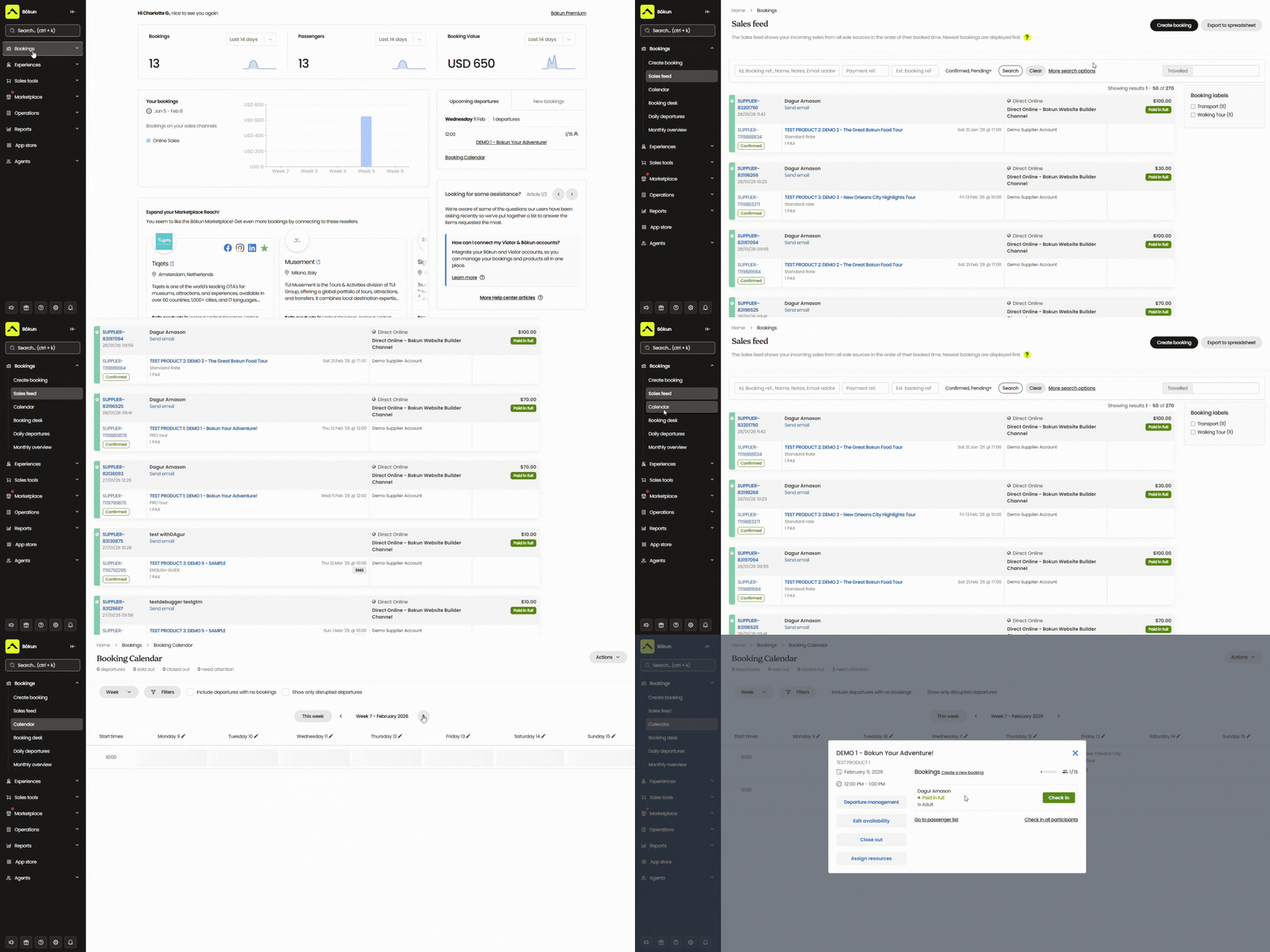
This view eliminates all manual calendar management, so you’re not jumping between a dozen different calendars, copying bookings into a master spreadsheet, and updating availability everywhere you sell tours whenever a new reservation rolls in.
You can see what’s in your queue for the day, week, and month ahead — without all of the headache — so you’re always prepared to offer five-star experiences.
Tools to enable direct online bookings
Bókun includes all of the tools teams need to create a professional booking website and earn more direct business.
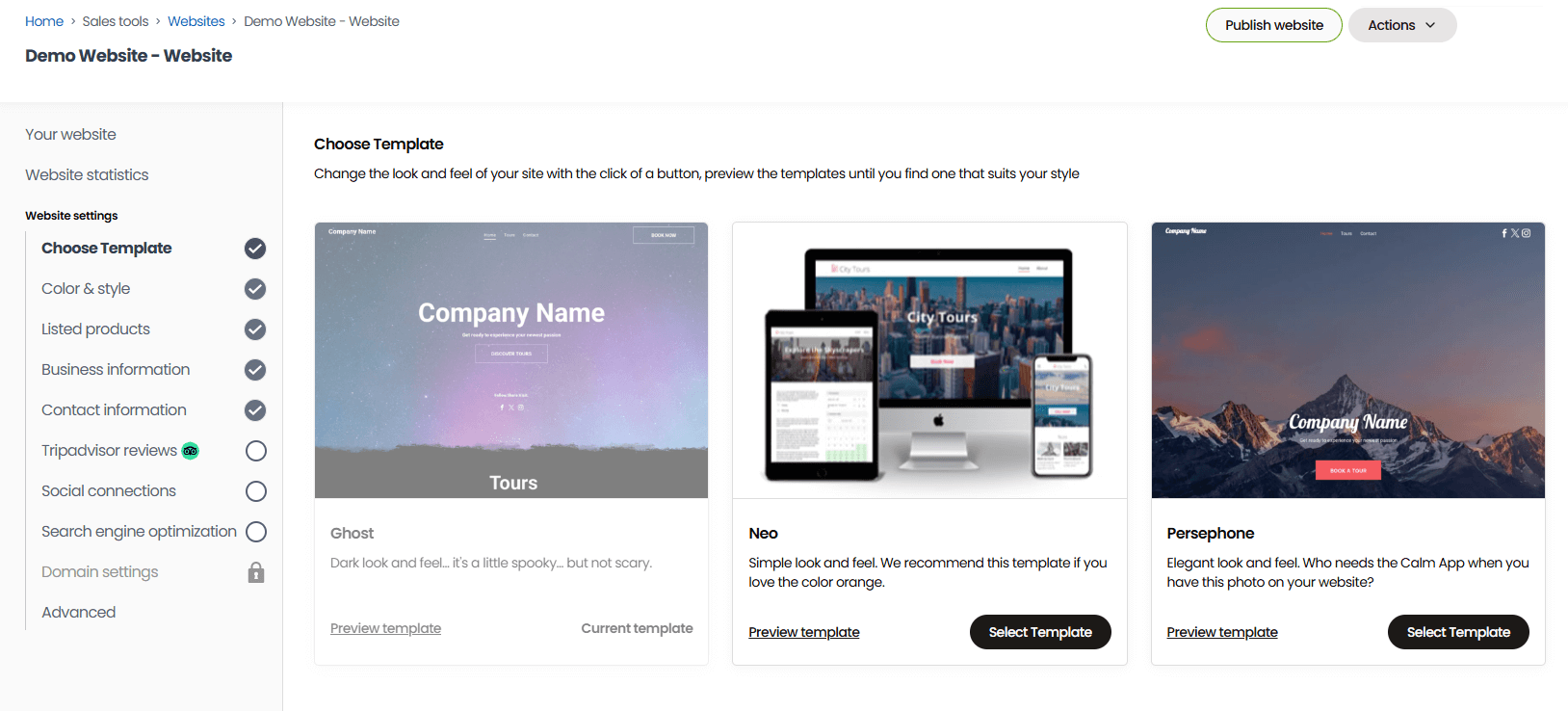
Teams that don’t already have a website can use our one-click website builder to design one. This website builder is super easy to use, and we provide a gallery of templates so you just have to choose your favourite design and fill in the template fields with images and videos, brand elements like logos and custom colours, and some background on your business.
Our websites come optimised for desktop and mobile, with our booking engine widgets pre-installed. After you finish designing, you can publish your site live and start accepting direct bookings.
Teams that already have a website can install our booking engine widgets to make their site bookable. We offer a variety of widget styles — “Book Now” buttons, calendar views, product overviews, and product lists — so you can embed widgets throughout your site and give customers plenty of options to start the booking process.
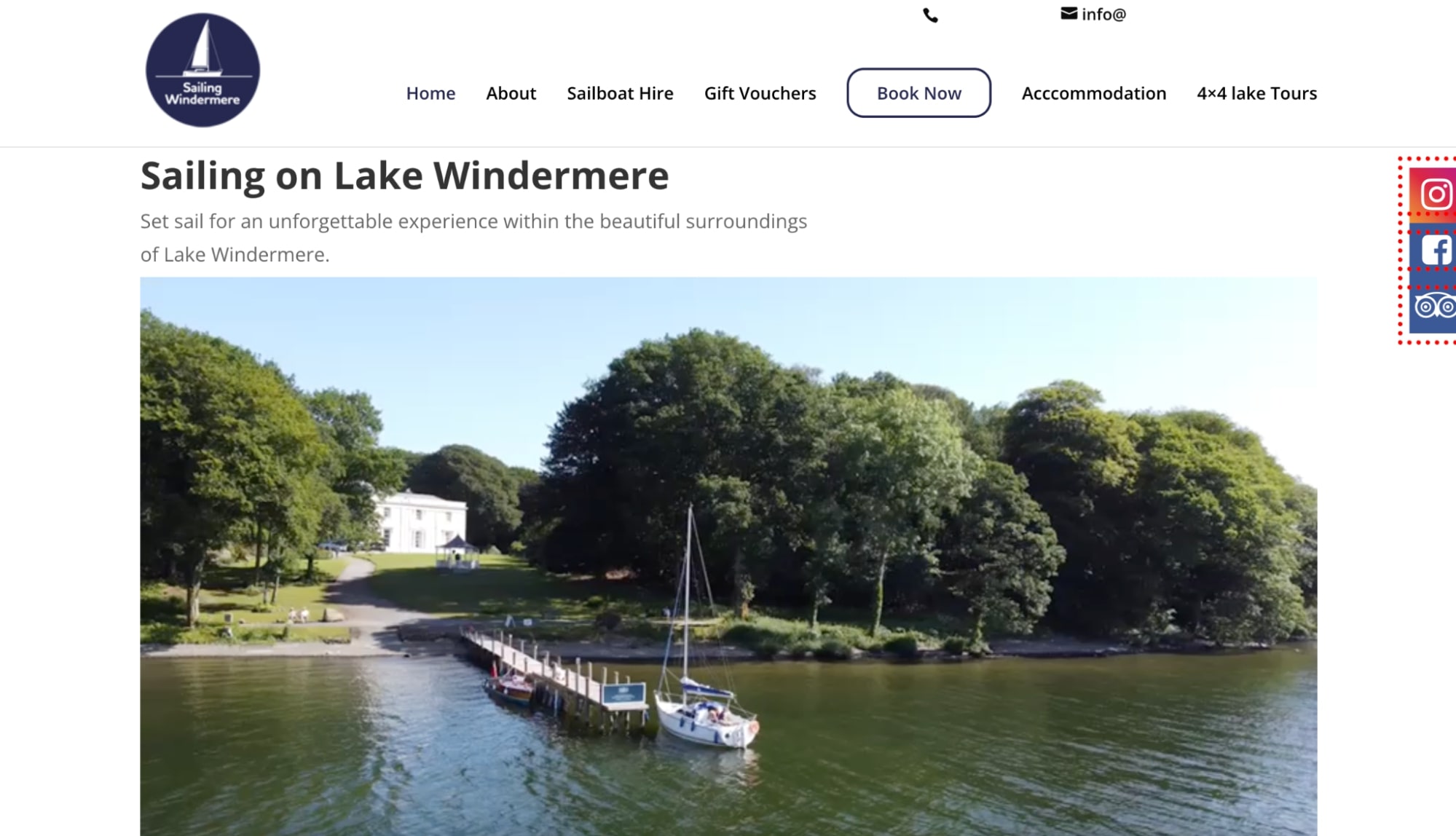
Our booking engine widgets work on virtually any website — WordPress, Squarespace, Wix, Weebly, Joomla sites, and more.
We designed our booking engine to provide a simple, smooth booking experience for travellers and prevent abandoned carts. It guides them through a few steps until checkout, and Bókun supports online checkouts by integrating with dozens of online payment processing systems (Apple Pay, Google Pay, Stripe, PayPal, Rapyd, Worldpay, Braintree, Klarna, and more).
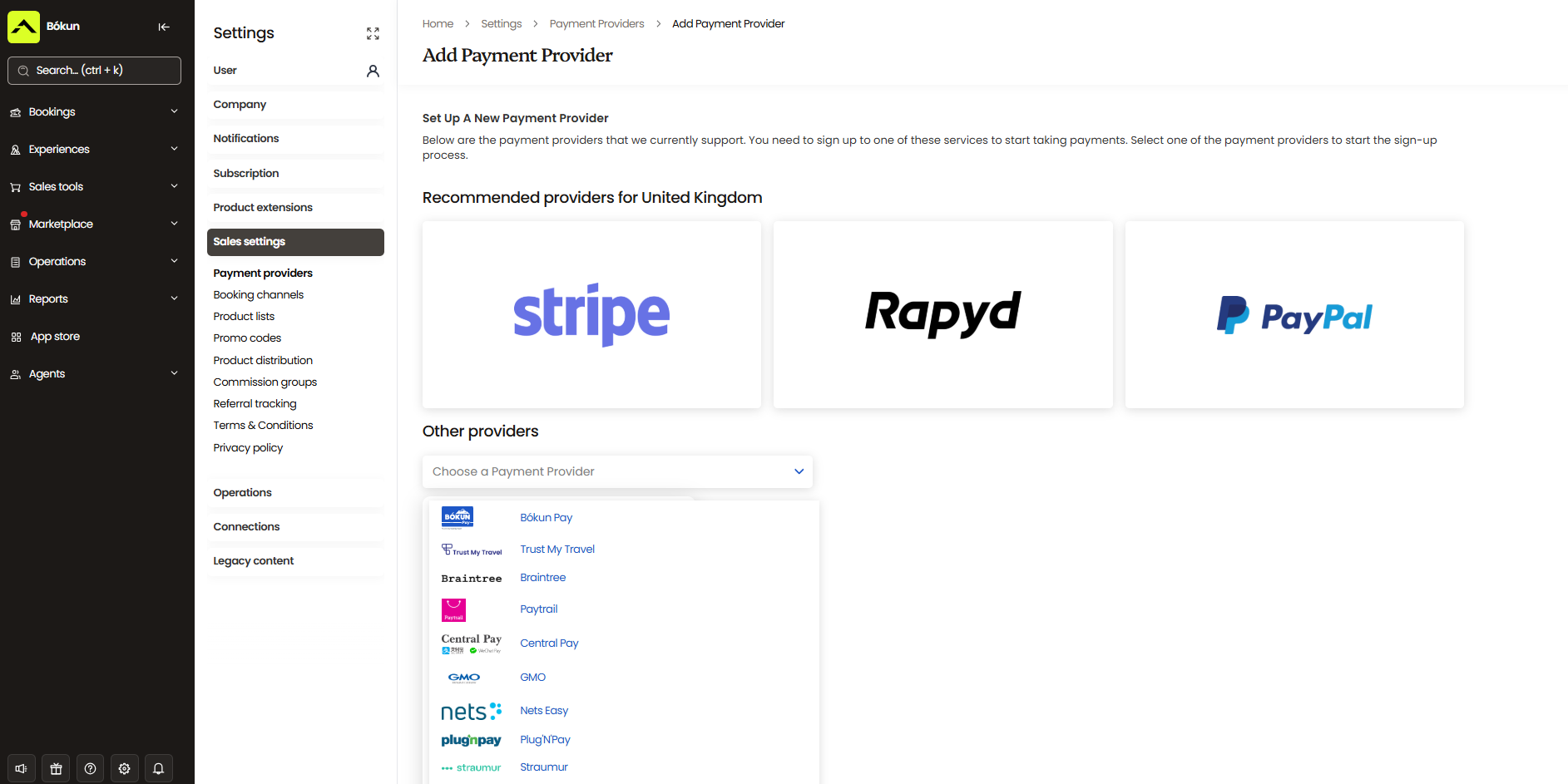
You can add as many checkout options as you like to serve global travellers and customer preferences.
Read more:
- How to add a tour booking system to your website
- 8 ways to increase direct website bookings
- SEO strategies for tour operators
Growth drivers to earn more customers & fill your booking calendar
Bókun offers some of the most impressive growth drivers in the market — from 70+ global OTA connections to our built-in reseller network and affiliate support — so tour operators have countless options to get their experiences in front of global audiences and earn new customers.
Our platform integrates with all major OTAs — Viator, GetYourGuide, Civitatis, Airbnb Experiences, Google Things to do, Expedia, Trip.com, Tiqets, TourRadar, Hotelbeds, Headout, Tourdesk, and more. We also connect with more niche-specific sites so you can find OTAs tailored to your experiences or region and promote tours to more targeted audiences.
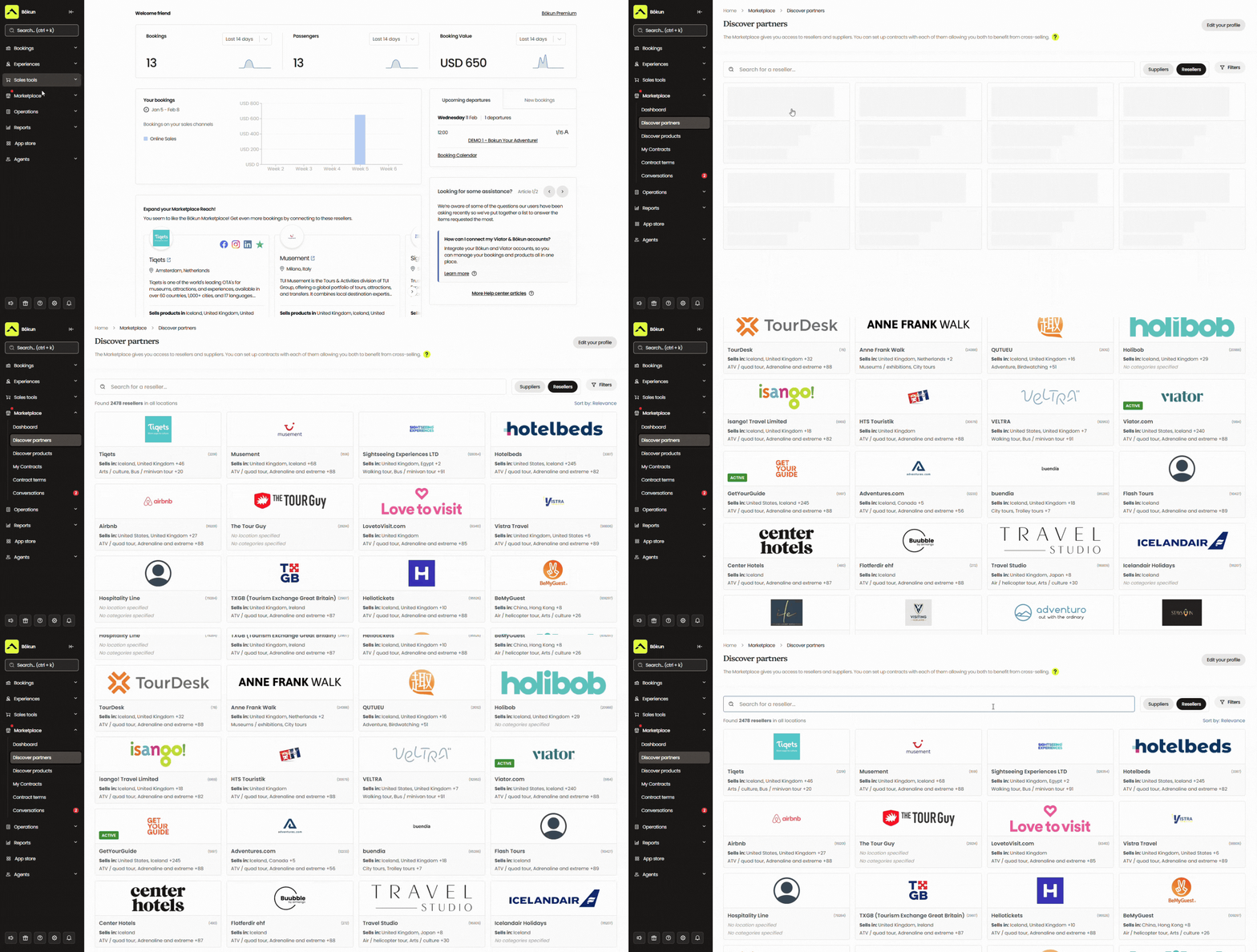
As a Tripadvisor brand, we also offer exclusive partnerships with many of the major names above.
- We’re a Viator Preferred Partner, allowing us to waive Bókun booking fees on Viator reservations and offer customers free subscription checks (12, 24, or 48 each year, depending on your package).
- We’re a GetYourGuide Premium Connectivity Partner, guaranteeing best-in-class API performance and access to all of GYG’s latest features.
- We’re a Google Things to do approved connectivity partner, so our users can instantly join Google’s program — without going through the lengthy application process — to promote travel experiences on Google’s search engine and apps.
You can add as many sales channels as you wish to Bókun — we don’t cap the number of OTAs you can connect. Add or remove sales channels at any time from the Sales Tools tab.
Bókun’s Marketplace features thousands of travel industry businesses so you can network and build partnerships with other trusted providers. Our network includes other tour operators like yourself — you’re automatically added to the Marketplace when you join Bókun — as well as travel agents, destination management companies (DMCs), rental companies, transportation services, accommodation providers like hotels and resorts, attractions, educational institutions, and more.
You can use our network to:
- Earn bookings through resellers
- Resell others’ services for a commission
- Create tour and travel packages with partners
We provide all of the tools to manage outreach, negotiate partnership terms, create contracts, and store all partnership documentation in Bókun. Our system will even alert you to contract renewals so you can stay on top of your distribution network and renew or renegotiate when the time is right.
See how our customers have leveraged Marketplace to drive business growth in our client stories below: |
In addition to our Marketplace, we offer Referral Tracking that gives you the flexibility to partner with any business or professional of your choosing — other businesses in your area, social media influencers, travel bloggers, tourism boards, local interest groups, you name it — and extend partnerships beyond our Marketplace.
Referral Tracking lets you build out an affiliate network and earn bookings from a wider variety of partners. You can negotiate terms and commissions with affiliates, add them to your Bókun partner network, and provide affiliates with a dedicated booking hub or trackable booking links so their audiences can easily reserve your tours.
These trackable links also show the source of all bookings, so you can see which affiliates win you the most business and use those insights to guide future partnerships and growth strategies.
Read more: 10 ways to earn more tour reservations
Bókun Experiences: Product & resource management tools
The Bókun Experiences tab is packed with everything to design stunning tour listings and manage the fine details of your experiences. Our product builder walks you through each step so there’s zero guesswork, and you can save templates to make this process super quick.
Check out the product builder below:
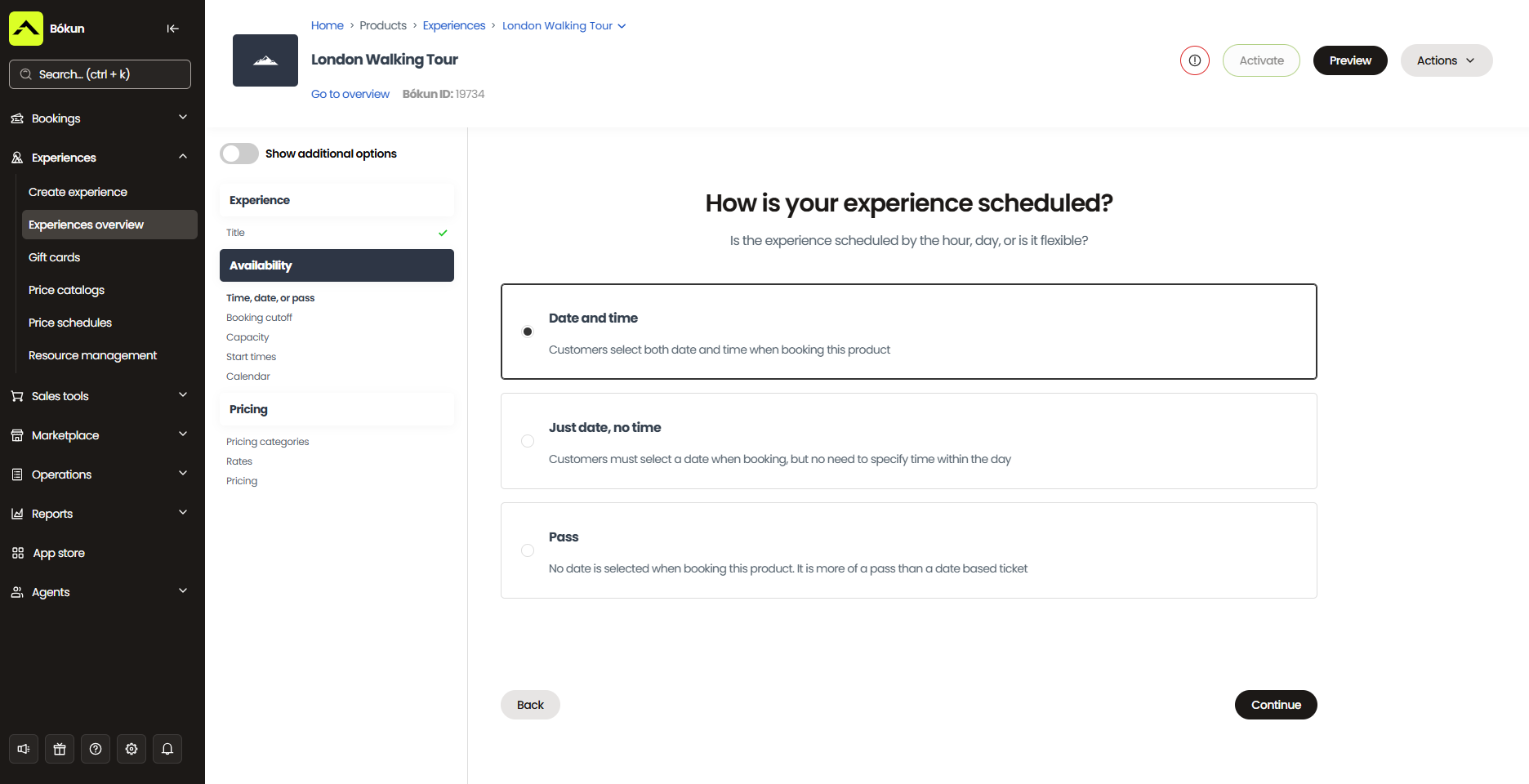
When designing a new listing, you’ll give your experience a catchy name, specify the duration and location, provide a detailed itinerary and description, add videos and photos from past experiences, and include anything travellers need to know for the day.
This product builder also includes a section to offer add-ons with experiences, so you can include upsells within the booking process and easily increase average booking values.
Then, you can link with Tripadvisor to feed product reviews to your website. This builds your credibility when customers browse your site and can encourage more reviews, as travellers can leave feedback on both Tripadvisor and your website.
Next, you’ll add availability, set pricing, and link required resources.
Adding availability is super easy, and after you create availability rules, they populate your entire calendar so you don’t have to recreate schedules every week. When adding availability, you’ll specify how travellers book with you (by reserving a day and time, just a day, or buying a general pass). Then you’ll select what days and times experiences are available, set minimum and maximum capacities, and add booking cutoffs.
We provide a few ways to set pricing. You can charge one flat rate for all customers, create pricing categories (with different rates for children, adults, and seniors, for example), offer bulk discounts, and set rates for private tours.
We also provide a dynamic pricing tool that can optimise rates based on preset conditions. For example, it can lower rates as the booking cutoff approaches when you still have seats left, increase rates for tours that are booking out quickly, or adjust your rates per OTA. You set these rules, and then our system takes care of the rest.
Next, you’ll specify the supplies and equipment you need for each experience and link resources to products. Our inventory management works in tandem with availability management to ensure you have the necessary equipment to run tours. If resources are being used for other experiences or are otherwise unavailable, Bókun can block new bookings to ensure you always have enough equipment for all customers.
As you publish new products, they’ll automatically appear on your website for customers to browse and begin booking.
Bókun CRM
Bókun also includes an in-built CRM to build your contact book and power your email marketing initiatives. It automatically captures new customer information — names, email addresses, phone numbers — when they begin the booking process. It also keeps a detailed booking history for each customer, so you can learn more about who’s booking with you and their preferences.
We back our CRM with an automated communications tool that can manage your email campaigns. It can send standard emails like booking confirmations, mobile tickets, reminders before tours, and follow-ups, but we also provide a variety of email templates so you can customise abandoned cart emails, review requests, upsell nudges, and more.
You can also add your own templates to Bókun to schedule out all of your marketing emails. You can create templates for newsletters, product announcements, seasonal promotions or discounts, upcoming events — whatever you like!
This tool saves you from manually sending all these emails, and automation makes it easy to keep in touch with your customers more often, which can ultimately win you more repeat bookings and loyal customers.
Bókun customer management tools
We provide convenient self-service portals for customers to review and manage their bookings themselves, without back-and-forth emails or phone calls with your team. Through their booking confirmation email, they can access portals to view upcoming reservations, reschedule, or cancel them.
As mentioned above, any changes customers make will automatically reflect in your booking calendar. Our CRM will also dispatch another confirmation email so customers know their changes were successful.
We also offer a variety of check-in tools for guides to manage arrivals and tour departures smoothly. Guides can save customers from long lines and delays with our tour manifests and quick ticket scanning tools; they can easily see who’s scheduled for each experience (and check any special requirements), scan customers in, and track any no-shows.
Bókun analytics dashboards
We also provide a reporting dashboard so you can measure bookings and revenue over various categories — by sales channel, product, month, and more. This lets you identify which OTAs, partners, and affiliates bring you the most business, which products or upsells are most popular, and which times of year you’re busiest vs. slowest.
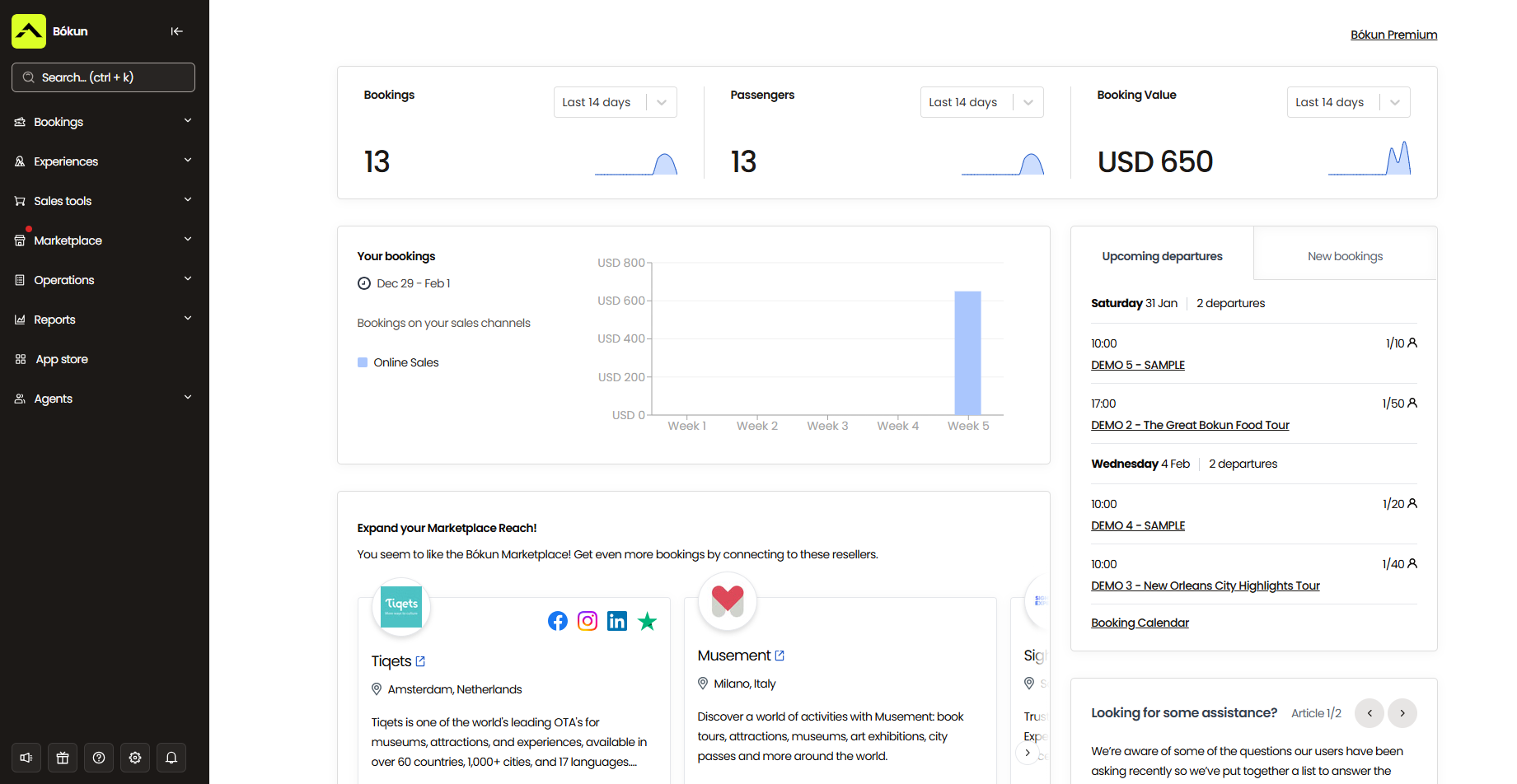
Then you have the data to make more informed decisions when expanding your online distribution network, fine-tuning your product line, and prepping for seasonal trends.
Bókun App Store
You can supplement our core features and tailor Bókun to your exact business needs by adding modules via the Bókun App Store. This store offers a variety of both free and paid modules, including a digital waiver solution, tip management tools, departure management, advanced reporting, SMS messaging, and more.
Bókun packages & pricing
You can get started with Bókun by redeeming your 14-day free trial here!
After the trial period, you can upgrade to our START plan to access all of the features we discussed above. This plan is $49/month with 1.5% online booking fees — we waive Bókun booking fees on Viator reservations and never charge for offline bookings.
We also offer two enterprise-level packages — PLUS and PREMIUM — for larger teams with more specialised requirements. These plans include advanced tools such as agent portals, an allocation manager, subvendor management, and Zapier access. They also come with guided onboarding, priority support, and a yearly strategy call with a Bókun expert.
Start your 14-day free trial to see how Bókun can transform the way you run your business.
2. Xola
Xola is a popular TicketingHub alternative best known for its sleek, modern interface and user-friendly design. The platform has been around since 2011 and consistently earns positive reviews for its ease of use — most operators report they can get up and running quickly without extensive training.
Users particularly appreciate Xola’s online booking engine widgets and abandoned cart retargeting. The booking engine is optimised to increase direct bookings and prevent abandoned carts, and in the case that customers do drop off at checkout, Xola’s retargeting tools help you capture more of those lost bookings.
Xola’s pricing is pretty comparable to TicketingHub, though fees are slightly lower (2.39% + 30¢ per transaction), and they only charge online booking fees — so you can keep more of what you earn with Xola.
However, Xola does have some drawbacks. Users consistently report technical glitches that disrupt operations, including bugs in the booking dashboard, data-entry issues, and a particularly hard-to-use Android app. They also say that customer support can be inconsistent, with users noting slow resolution times and having to explain issues to different team members repeatedly.
Features
- Website building service
- Online booking widgets (for existing sites)
- Channel management & OTA connections
- Distribution network
- Inventory management
- Availability management
- Staff management
- Phone booking system to manage offline bookings
- Native point-of-sale (POS)
- CRM
- Marketing tools to promote your tours & retarget customers
- Digital waiver solution
- Customisable tickets (and ticket scanning tools for convenient check-in)
- Reporting
- Mobile apps
Pricing
Xola charges travellers a variable partner fee at checkout, starting at 2.39% + 30¢ per transaction (but can be as high as 6% for international transactions).
Read more: Best Xola alternatives comparison guide
3. Beyonk & BookingHound
We group Beyonk and BookingHound here because they’re two sister brands owned by the same parent company — together, they create the largest travel booking software brand in the UK. These solutions are most popular among European-based operators, but both brands serve teams worldwide.
Beyonk is the more traditional booking software for tour and activity providers, and BookingHound is the ticketing software for attractions and event organisers. We’ve outlined their key features below so you can see how they differ and choose the solution that best fits your needs and use case.
Both solutions offer comprehensive toolkits, and reviewers note their user-friendly interfaces (on both desktop and mobile). The platforms cover all the essentials — booking widgets, OTA connections, reseller marketplaces, automated communications, and reporting — without being overly complex or hard to navigate. And users say Beyonk and BookingHound offer solid customer support in case you ever have questions.
While Beyonk and BookingHound generally offer a better overall experience than TicketingHub, they are slightly more expensive. Beyonk charges a 4% booking fee, and BookingHound charges a $38/month subscription fee and a 4% booking fee. However, they only charge these fees for online bookings, so monthly costs could turn out to be roughly the same across systems.
Find more Beyonk reviews here & BookingHound reviews here.
Features
- Online booking widget
- Custom checkout workflows
- Channel management & OTA connections
- Reseller marketplace
- Tools to manage online or in-person payments
- Options to cross-sell products & offer add-ons
- Options to sell gift cards & issue discount codes
- Dynamic pricing
- Options to offer free events
- Automated customer communications
- Content management system (CMS)
- Affiliate codes
- Reporting
- Analytics tools from Meta and Google
Also available in Beyonk:
- ePOS system
- Staff & schedule management
- Zapier integrations
Only available in BookingHound:
- Online ticketing tools
- Capacity management system & waitlisting tools
- Options to sell memberships or season tickets
- Options to sell merchandise
- Customer self-service portals
- Questionnaires
- Abandoned cart retargeting
Pricing
- Beyonk charges a 4% booking fee for each online reservation. Tour operators can cover this or pass it to travellers. There are no subscription fees here.
- BookingHound charges $38/month and 4% booking fees.
Read more: Best Beyonk & BookingHound alternatives comparison guide
4. Checkfront
Checkfront is a well-known booking software brand with an extensive industry history, founded over 15 years ago. It’s historically been popular among smaller teams for its robust toolkit and ease of use, but has also grown to serve larger teams with advanced customisation options and integrations.
The main appeal of Checkfront is its robust toolkit, with over 100 features to manage daily operations and fuel growth. And despite the many features to learn here, users say the platform is easy to use and navigate. The only downside mentioned is that there are sometimes tools users don’t need and have to work around (similar to TicketingHub).
Users also appreciate that Checkfront recently merged with Rezdy and Regiondo, giving it strong backing and resources to support customer success.
Pricing is also comparable to TicketingHub. Checkfront charges a $99/month subscription fee and a 3% booking fee (for online reservations), which may seem more expensive at first. However, Checkfront lets tour operators pass fees to customers at checkout, so tour operators can avoid paying fees on every booking and only pay the $99/month subscription. Depending on the booking volume, that can be a lot less than what you’d pay with TicketingHub.
Features
- Website builder
- Online booking engine widgets
- Centralised booking calendar
- Availability management
- Channel management & OTA connections
- Partner network
- Custom form builders and waivers to send to customers before their tours
- Marketing tools, including customer booking map, customer outreach & ROI tracking
- Integrations with online payment processors (Checkfront also connects with your POS and lets you send custom invoices)
- 50+ integrations & Checkfront API
- Reporting
Pricing
Checkfront charges a $99/month subscription fee and 3% booking fees. You can either cover the booking fees or pass them along to customers.
Read more: Best Checkfront alternatives comparison guide
5. FareHarbor
Next up is FareHarbor. We should start by saying that FareHarbor and the next names on our list are more expensive than TicketingHub, so if lower pricing is the priority, you can stop reading here and scroll back to the names above.
We mention the following names on this list because (1) they’re all noted as user-friendly and easy to use, (2) they offer a lot of tools to drive growth, and (3) they’re all long-standing industry names you’re bound to run into when comparing TicketingHub alternatives, so you might as well understand their pros and cons.
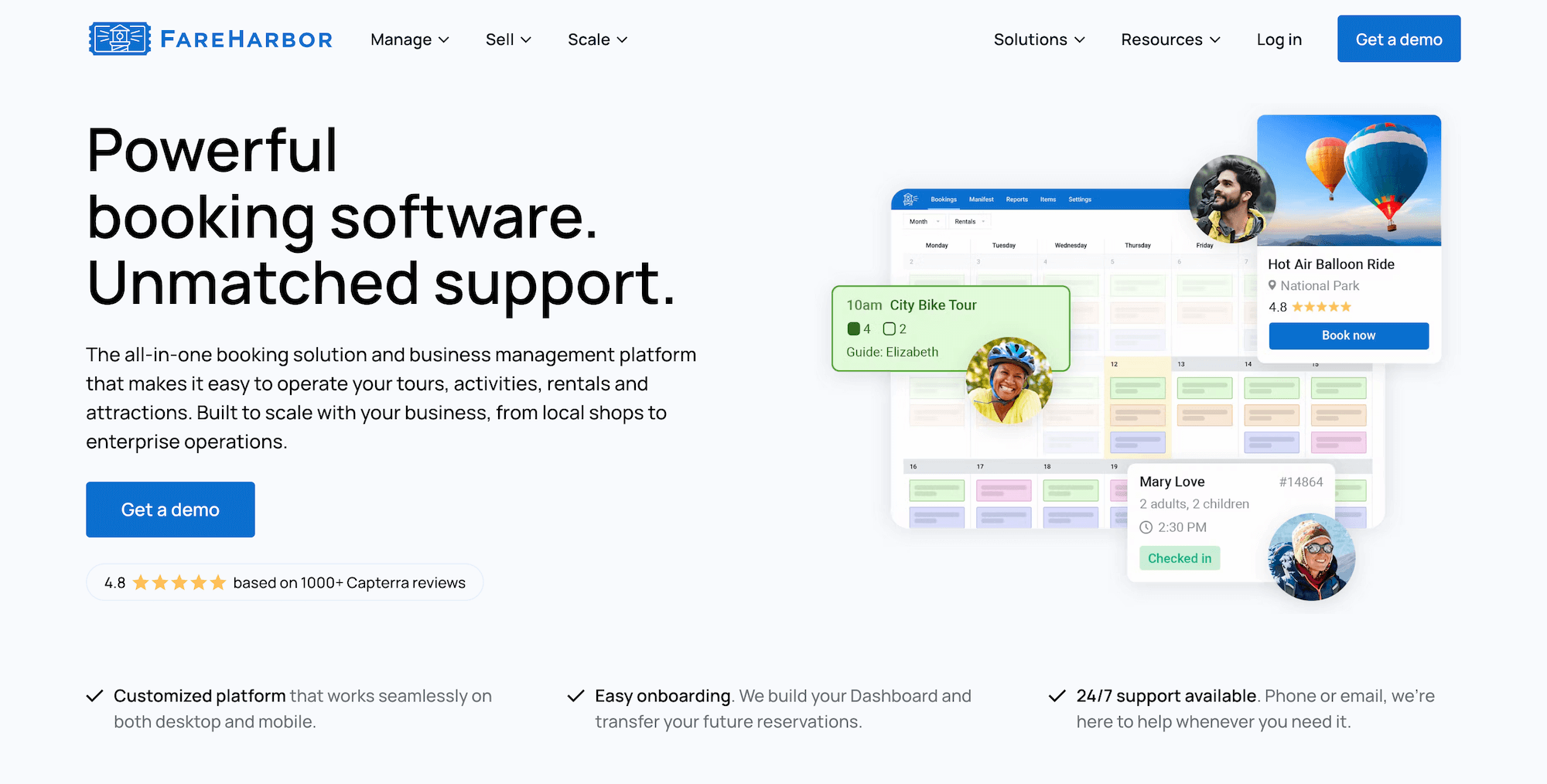
FareHarbor is a Booking.com brand that works with teams of all sizes, all across the globe. The platform offers an all-in-one toolkit to centralise operations and automate boring, tedious back-office tasks. Users like FareHarbor for its ease of use, advanced customisation options, and solid customer support.
In addition to its booking software, FareHarbor also offers a few services, such as website building and SEO, to help teams capture more online bookings and grow their customer base.
But as mentioned above, the pricing warrants careful consideration. If you want to take advantage of FareHarbor’s website-building service, that’s $5k/year (or $499/month). SEO services are an extra $2.2k or $5k, depending on the package you choose. FareHarbor also charges a fee to join its reseller network, and they take a 20% commission on any bookings you earn through partners. And most of all, they charge variable — often high — booking fees of up to 8%.
If you are interested in those high-ticket services, FareHarbor might be worth your while.
Features
- Website-building services (FareHarbor charges an extra fee for this service)
- Online booking widget
- Customisable booking calendar
- Connections with OTAs & channel management
- Distribution network (FHDN)
- Product management
- Availability management
- Staff management
- Native POS
- Integrations with Stripe
- Customer portals
- Fast check-in features & online waiver tools
- Options to sell memberships
- Reporting
- Mobile apps
Pricing
FareHarbor charges travellers a variable booking fee (as high as 8%) at checkout. They also offer website-building and SEO services, as well as a reseller network, at additional costs.
Read more:
- Best FareHarbor alternatives comparison guide
- Bókun vs. FareHarbor vs. Peek Pro
- Bókun vs. FareHarbor vs. Rezdy
6. Peek Pro
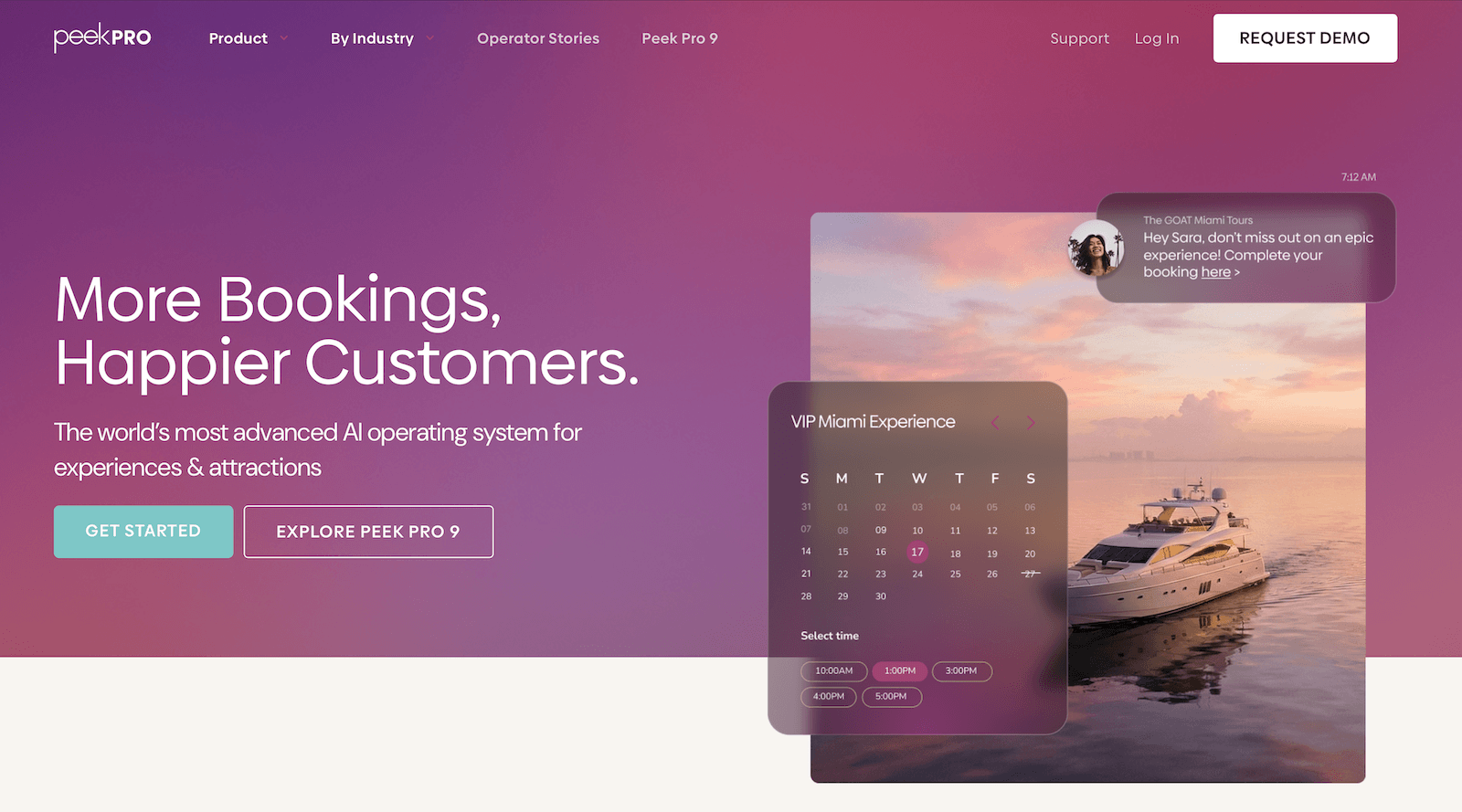
Peek Pro is another highly-rated name in the tour operator software space. This solution is slightly more expensive, with booking fees of 6% and 8%, but the platform’s growth drivers offer a compelling advantage that may just be worth the extra cost.
Peek Pro’s platform offers all the tools you’d expect to streamline daily operations: a booking management module, availability and staff management, inventory management, reporting tools, mobile apps, and more. But the platform’s standout feature is Peek Capital, which lets operators apply for business financing directly through Peek’s VC network — a unique advantage for teams looking to scale quickly without traditional bank loans. Peek also appeals to larger attractions looking to win more loyal customers with options to sell memberships.
Users suggest that Peek’s platform is easy to learn and use, with a modern, polished interface and intuitive features.
Check out more Peek Pro reviews here.
Features
- Online booking widgets
- Customisable booking calendar
- Reservation management
- Availability and staff management
- Integrations with OTAs & channel management tools
- Peek reseller network
- Peek Capital (to apply for loans)
- Dynamic pricing
- Inventory management
- Options to sell memberships, add-ons, bundles, gift cards, and vouchers
- Marketing tools (including customer retargeting)
- Fast check-in features, including digital waivers, Kiosk mode, and ticket scanning
- Customer portals
- Native POS
- Multi-currency support
- Integrations with online payment processors
- Reporting
- Mobile apps
Pricing
Peek Pro charges variable booking fees of up to 6% and 8% (often on the higher end for international transactions).
Read more: Best Peek Pro alternatives comparison guide
7. TripWorks
TripWorks tour operator software was traditionally designed and marketed for enterprises, with an advanced toolkit and countless customisation options; however, they’ve recently adjusted their pricing structure to make their premium solution available to businesses of all sizes.
TripWorks is popular among tour operators managing travel experiences and attractions that need an advanced ticketing solution. It includes all the features teams need to manage and automate operations, drive sustainable growth, and deliver five-star customer experiences. Its key differentiator is its marketing tools, enabling teams to promote experiences on social media, invest in paid advertising, and explore other digital strategies to boost sales.
While TripWorks has adjusted its pricing structure, fees are still expensive: operators pay 6% online booking fees and a 2.9% + 30¢ transaction fee per reservation — nearly 9% of all sales. That said, teams prioritising built-in marketing capabilities with aggressive growth goals may find it worth the premium.
Find more TripWorks reviews here.
Features
- Online booking widget (that connects to existing sites)
- Reservation management
- Product management
- Availability management
- Connections with OTAs & channel management
- Reseller marketplace
- Options to sell gift cards & vouchers
- Dynamic pricing
- Digital waiver solution
- Native POS
- Integrations with Apple Pay & Google Pay
- Marketing tools to build PPC campaigns & improve your reach on social media
- Integrations with marketing & business applications
- Reporting
Pricing
TripWorks charges 6% online booking fees and a 2.9% + 30¢ transaction fee per booking.
Read more: Best TripWorks alternatives
8. TrekkSoft
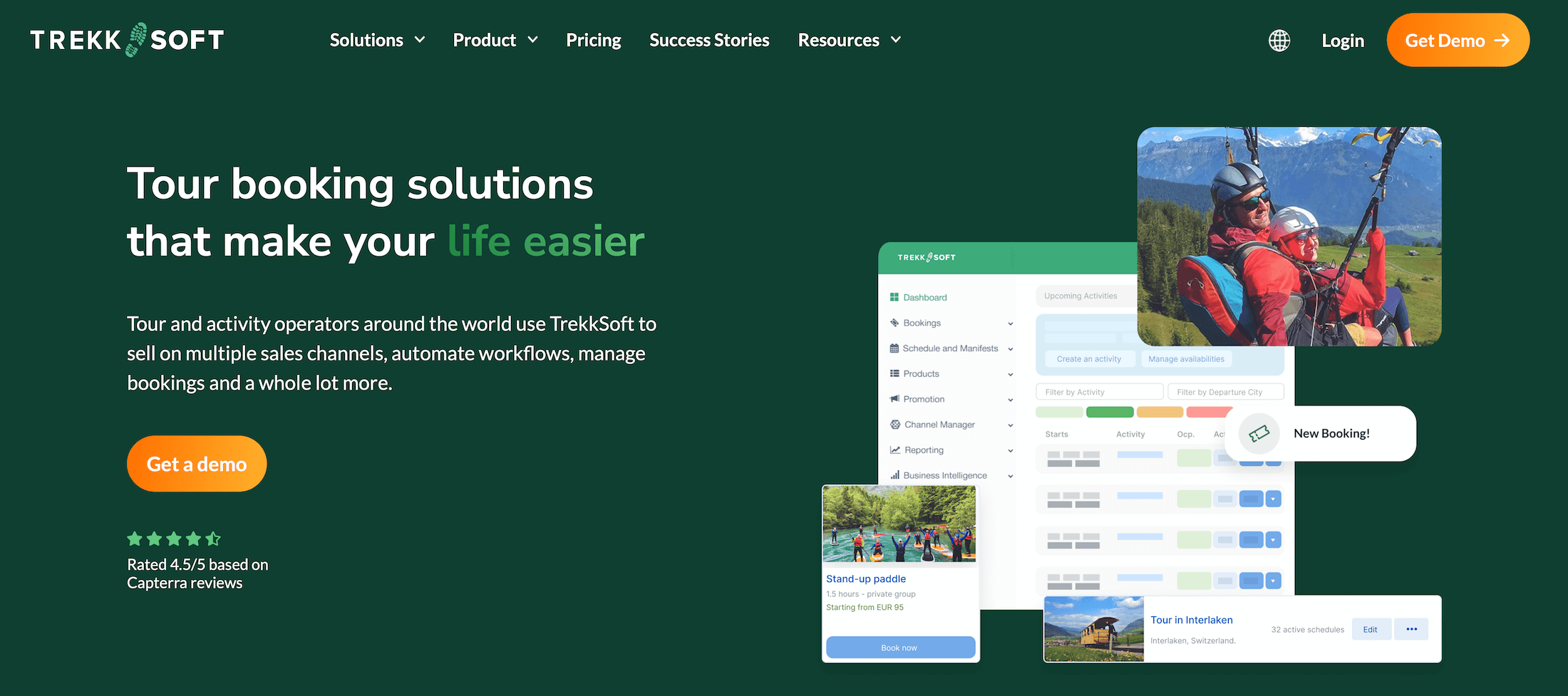
Next up is TrekkSoft, another booking software popular with European-based teams — the brand was founded in Switzerland and has since grown worldwide.
TrekkSoft’s solution works for both tour operators and attractions, though it primarily targets outdoor adventure providers offering action-packed experiences such as ziplining, hang gliding, hiking, climbing, rafting, and ATV tours.
The platform offers a variety of tools to manage daily operations and drive growth, including digital waivers for those adrenaline-pumping experiences. Teams leaving TicketingHub often like it because it offers tools to sell tickets online and in person, so you can serve customers planning ahead and last-minute walk-ups.
As mentioned above, TrekkSoft’s pricing is slightly higher than TicketingHub’s. Booking fees are the same (if not lower), and tour operators can pass those fees to customers, so they’re more or less a moot point. But where TrekkSoft gets operators is its high subscription fees. Most teams need the Accelerate or Ultimate plan, where they’re paying $175 or $292 per month in fees just to use the platform.
While TrekkSoft offers solid functionality, the high subscription fees may be hard to justify for some operators — especially when other TicketingHub alternatives offer similar core features at more competitive prices.
Read more TrekkSoft reviews here.
Features
- Custom website builder
- Online booking engine widgets
- Central booking calendar with real-time availability management
- Channel management & connections with OTAs
- Reseller network
- Product management
- Combo products
- Inventory management
- Advanced pricing tools (like special seat pricing & private rates)
- Digital waivers
- Features to offer discounts & gift cards
- Payoo, TrekkSoft’s native payment processing system
- Native POS (also available on mobile)
- Integrations with Stripe & PayPal
- Google Analytics integrations
- Automated customer communications
- Reporting tools
- Mobile apps
Pricing
TrekkSoft offers three packages:
- Starter plan ($49/month with 3% online booking fees and $1.76 per offline booking): This offers the basics to bring your business online and connect with OTAs, but it provides limited access to the reseller network.
- Accelerate plan ($175 per month plus 2.5% online booking fees and $1.17 per offline booking): This plan unlocks more features, including inventory management, and grants full access to the reseller network.
- Ultimate plan ($292 per month plus 2% online booking fees and 59¢ per offline booking): The enterprise plan includes TrekkSoft’s business intelligence suite and access to the developer API.
TrekkSoft charges a transaction fee of 2.5% + 29¢ for all online payments through Payoo (the same rate across all packages).
Read more: Best TrekkSoft alternatives
9. Orioly
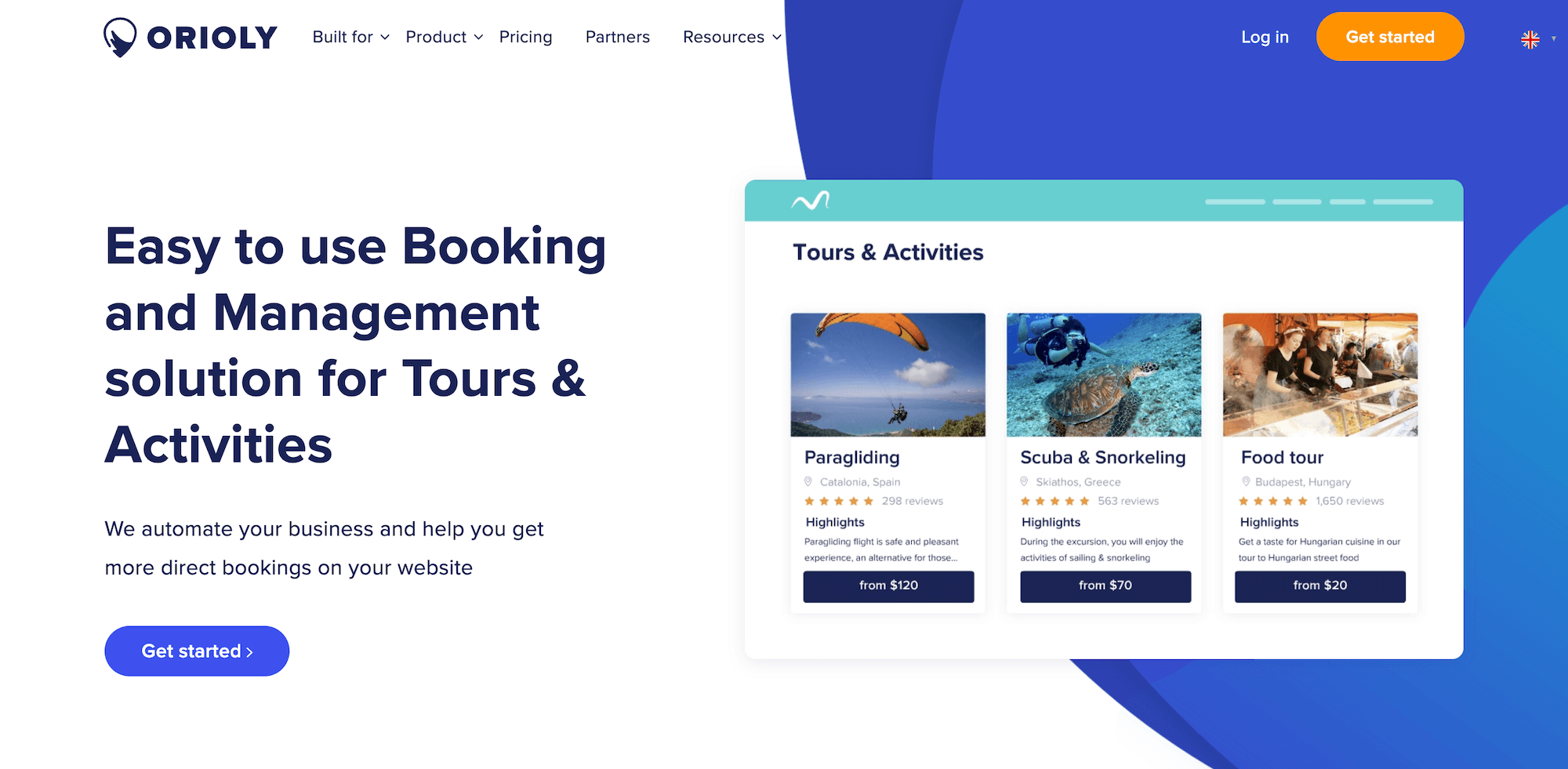
The last name on our list, Orioly, is also a popular booking platform among UK-based businesses. It works with tour operators, activity providers, attractions, DMOs, and tourism boards, with packages for both SMBs and enterprise teams.
Orioly covers the essentials you’d expect from modern booking software — booking widgets, OTA integrations, a reseller marketplace, automated communications, and mobile apps.
User reviews highlight the platform’s ease of use and responsive customer support, noting that onboarding is straightforward and the interface is intuitive, so anybody can join the platform and take advantage of its benefits.
However, Orioly’s pricing is significantly higher than TicketingHub (and most other competitors on this list).
The entry-level Startup plan costs $300/month with 2.5% booking fees, but it lacks key features like resource management and OTA channel management. To access those, you’d need the Growth plan at $499/month. The top-tier Business plan, which includes all features, costs $600/month with a 1% booking fee.
That’s substantially more expensive than TicketingHub’s 3% booking fees with no monthly subscription. Even compared to other premium software solutions, Orioly’s pricing is steep — especially given that it doesn’t offer a ton of unique features that could justify the cost.
Find more Orioly reviews here.
Features
- Online booking widget to receive reservations from your website
- Product (Inventory) management & availability management
- Channel management
- Connections with OTAs & OTA channel management
- B2B reseller marketplace
- Features to offer add-ons and discounts
- Native POS and integrations with common payment processors
- Lightweight CRM & automated customer communications
- Automated document creation to send quotes, invoices, waivers, vouchers, etc.
- Reporting
- Staff management
- Mobile apps
Pricing
Orioly has three packages for small and growing businesses and offers custom plans for enterprise teams.
The packages for SMBs include:
- The Startup plan ($300 set-up fee, 2.5% online booking fees, & $200 annual retainer) includes basic tools to enable direct bookings and collect online payments. The few extras it includes are the channel manager, POS system, reporting dashboard, Google and Facebook integrations, online payment notifications, guest tools, and coupon codes.
- The Growth plan ($499 set-up fee, 2% online booking fees, & $150 annual retainer) includes everything in the Startup plan plus resource management, OTA channel management, mobile apps, Zapier, and API access.
- The Business plan ($600 set-up fee, 2% OTA booking fees, 1% direct booking fees, & $100 annual retainer) includes access to all Orioly features.
All plans allow unlimited bookings, products, and user accounts.
Read more: Best alternatives to Orioly
Get Started with Bókun
When comparing TicketingHub alternatives, Bókun stands out as the best option for tour operators and activity providers looking for an affordable, scalable solution that doesn’t compromise on features or ease of use.
Unlike TicketingHub, Bókun is designed to be simple from day one — you can get up and running in an afternoon without feature overload or a steep learning curve. Our platform gives you everything you need to manage operations and drive growth, without forcing you to work around tools you don’t use.
And while TicketingHub charges 3% on every booking, Bókun offers the lowest fees in the industry at just 1.5% — with 0% booking fees on Viator reservations and completely free offline booking management.
Most importantly, Bókun scales with you. Whether you’re just getting started or managing high-volume operations, our platform grows alongside your business — with enterprise plans, dedicated support, and the industry’s largest distribution network to help you reach more customers and fill your booking calendar.
See why operators rate Bókun 4.7 stars and vote us the best value for money. Start your 14-day free trial today — no credit card required!