
When comparing axe-throwing booking software, focus on solutions that handle the basics well and help you actually fill your lanes. Here’s what separates great axe-throwing booking software from the rest:
- Strong inventory management to manage lanes, where you can set each lane as a separate resource, control capacities, and avoid double-bookings across all your connected sales channels.
- Booking, channel, and availability management to pull in bookings across all sales channels (your site, OTAs, and other resellers) and update availability and inventory in real-time so you never overbook.
- Tools to sell sessions and packages on your website and provide simple ways for customers to book online.
- Growth drivers like OTA integrations (Viator, GetYourGuide), reseller marketplaces, and affiliate support to promote your axe-throwing experiences in front of massive audiences and win new customers.
- Integrated payment solutions and straightforward fee structures, with options to accept different payment methods and pass fees on to guests.
- Flexible product setup for sessions and packages (e.g., “1‑hour lane for up to 6 people” or a “date night” package) with bulk booking options for groups or parties.
- The ability to sell add-ons like food, drinks, and merch directly in the booking flow.
- Integrations with digital waiver solutions so customers can complete this paperwork during checkout, and you don’t have to hassle with it during arrivals.
- Reporting dashboards that show bookings and revenue by channel, product, or time of year so operators can optimise product lines, distribution strategies, and staffing.
We’ve compiled this review guide of the most popular systems — showing how they do (or don’t) check our boxes above — so you can compare all the names in one place and find the right solution. Our guide covers:
- Bókun
- Bookeo
- Checkfront
- Beyonk & BookingHound
- TripWorks
- Peek Pro
- Clubspeed
- RKd Solutions
- ROLLER
- Sports Carnival
- High Trek
Start your 14-day free trial to learn more about Bókun — no credit card required!
1. Bókun
All-in-one operations management with the industry’s lowest booking fees
Bókun is one of the most highly rated booking management systems — with a solid 4.7-star rating — for experience providers, thanks to our all-in-one toolkit, impressive growth drivers, ease of use, and super-low fees.
We work with activity providers (like axe-throwing businesses!) and tour operators worldwide. And our solution works for teams of all sizes, at all growth stages — from small businesses still exploring online strategies to enterprises needing that extra oomph to push their business even further.
We’ve packed Bókun with a ton of features to manage the behind-the-scenes processes for you and accelerate growth. As a Tripadvisor brand and the #1 restech partner across major OTAs, we give you direct access to 70+ global distribution channels — like Viator, GetYourGuide, and Civitatis — plus a built-in reseller Marketplace and affiliate support to expand your reach.
That means you don’t have to worry about tedious back-office tasks or invest loads of money in marketing to fill your lanes. You can automate the complex stuff, tap into massive audiences, and spend more time providing those five-star experiences that keep customers coming back.
Bókun is simple and affordable enough for anyone to join and take advantage of our toolkit. Our platform requires zero training and fits in everybody’s budget — and we don’t hound you with crazy booking fees like other systems. You can keep more of what you earn and continue to invest that back into growing your business — whether that’s adding more lanes, creating new action-packed packages, or hosting fun events.
Bókun is your partner for keeping operations running smoothly and customers coming through the doors.
In the following sections, we’ll show you what Bókun offers and how our core features work to take the busywork off your plate and win you new business. But you can also skip right to our 14-day free trial to explore the platform yourself. No credit card required to get started.
Central booking calendar
Bókun’s booking calendar is your command centre for all daily operations.
It shows all bookings — from all sales channels, your website, OTAs, partners, and affiliates — for your weeks and months ahead. And you can open bookings to see the full details: how many guests are attending, who’s attending, who’s purchased add-ons, who’s submitted any special requests, and which staff members are managing the experience.
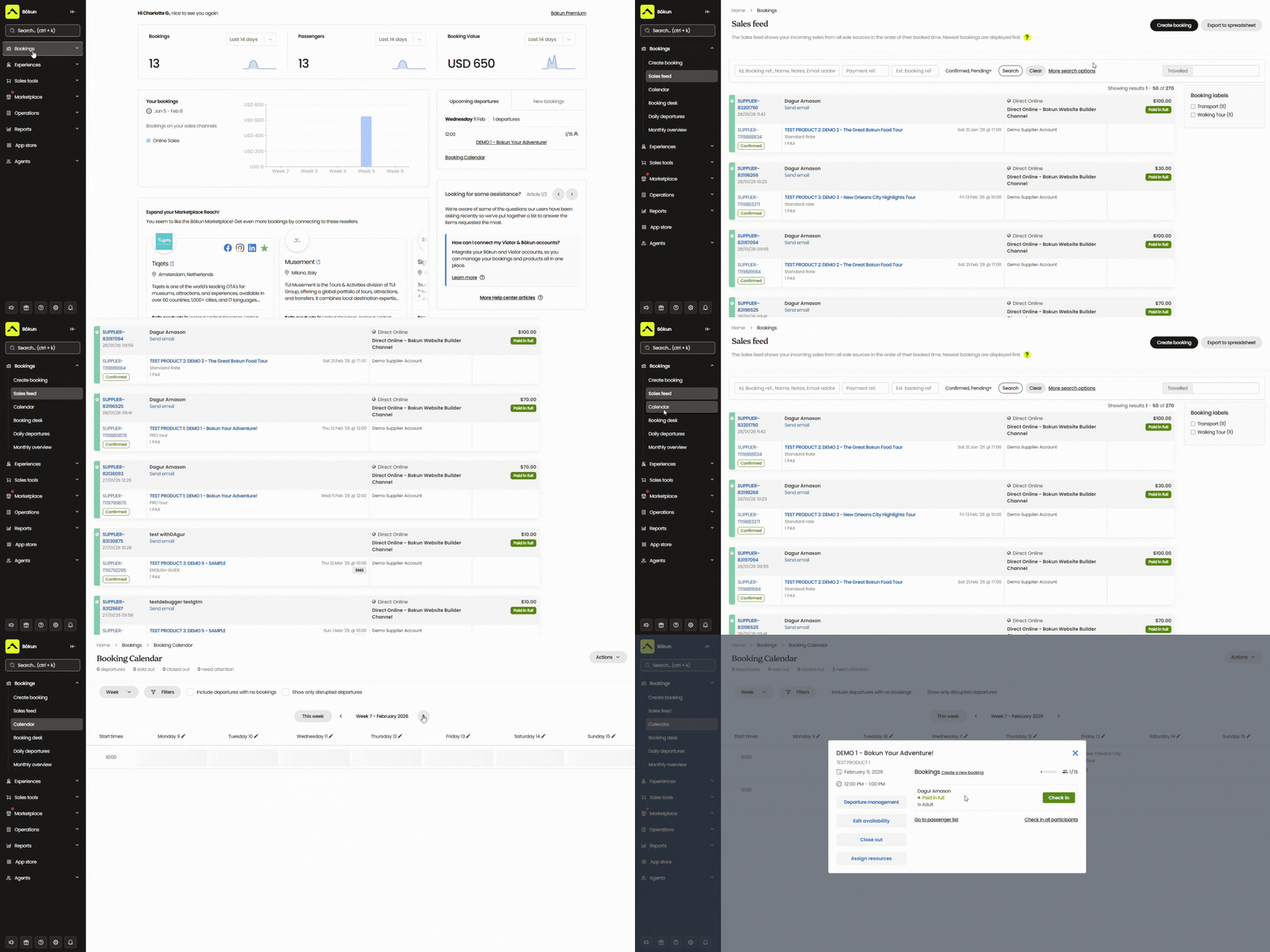
This calendar also powers Bókun’s real-time availability management. When new bookings roll in, this calendar sends updated availability and inventory to all of your connected channels.
We’ve also included simple tools here to manage bookings, availability, and staff schedules. You can modify bookings, close out specific days or time slots, and reassign staff as needed.
Tools to enable direct online bookings
Bókun provides everything you need to enable bookings directly from your website.
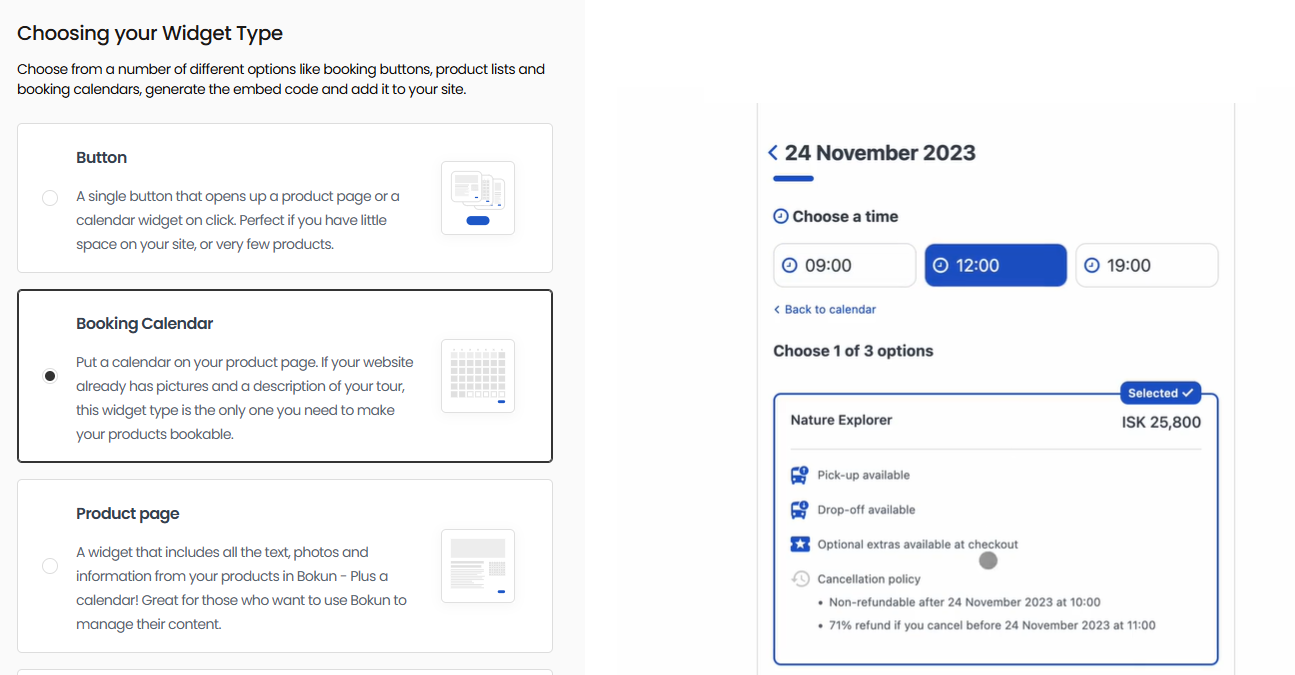
- Teams that already have a website can easily embed our booking engine widgets. We provide a variety of styles here — “Book Now” buttons, calendar views, product overviews, and product lists — so you can mix them up when adding them to your website pages. Our widgets are compatible with virtually all website builders: WordPress, Squarespace, Wix, Weebly, Joomla, and more.
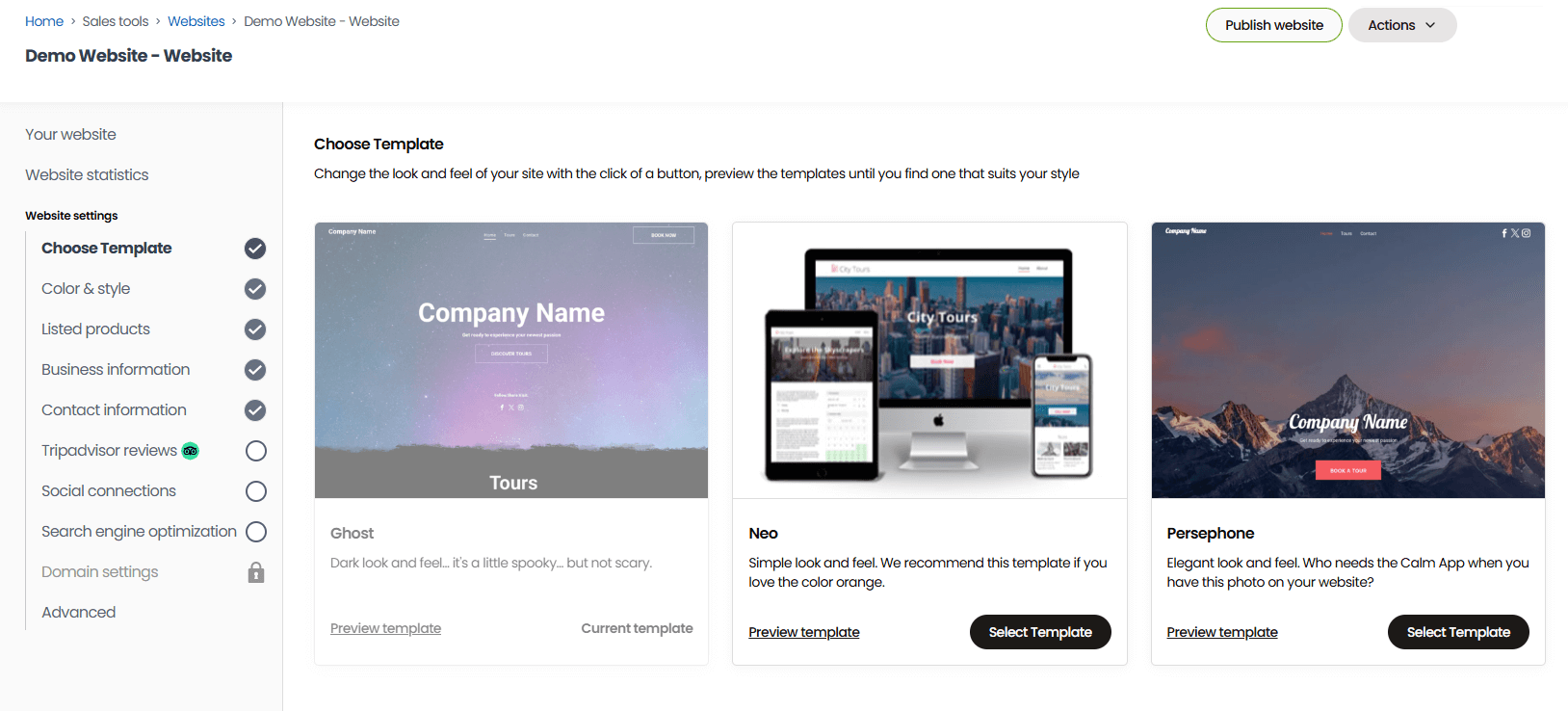
- Teams that don’t already have a site can use our one-click website builder to quickly and easily design one. Our system comes with a template gallery so you can choose your favourite website design and then plug in the details — adding logos, images, video, custom colours, and text. Our websites come with booking widgets pre-installed, but you can add more or change them up. Bókun sites are also optimised for desktop and mobile, so customers can book with you from any device.
Our system also integrates with all the most popular online payment processing systems — Stripe, PayPal, Apple Pay, Google Pay, Braintree, Worldpay, Rapyd, Klarna, and more — so you can provide a variety of checkout options for customers.
And it’s super easy to integrate these. In our Payment Providers dashboard, you click the names you want to add, and then follow the steps to integrate. You can add as many options as you like to support all regions and customer preferences.
Bókun growth drivers: OTA connections, Marketplace, & Referral Tracking
What really sets us apart from other booking systems is our tools to fuel your growth. Most systems focus just on operations management. And while automating operations is definitely nice, it doesn’t totally lend to growth. You still need avenues to reach new customers so you can stay booked and busy.
Instead of investing an arm and a leg in marketing or trying to become a marketing guru yourself, you can use Bókun’s in-built growth drivers to get your axe-throwing experiences in front of interested audiences effortlessly.
Our system supports you with:
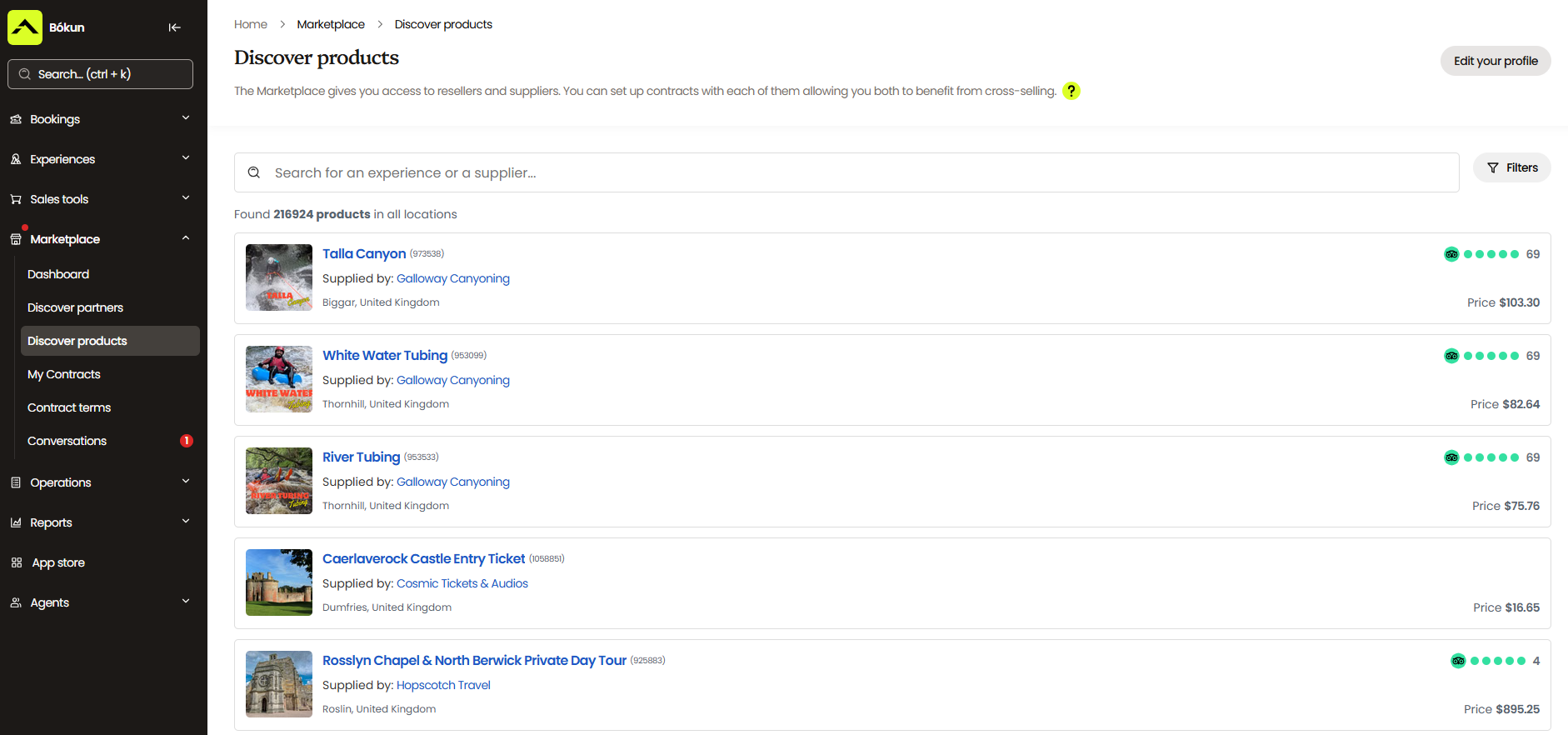
#1. Over 70 global OTA integrations so you can sell axe-throwing experiences on the sites people use to find and plan things to do. Our system connects with global names like Viator, GetYourGuide, Civitatis, Airbnb Experiences, Tiqets, Headout, Trip.com, and Expedia, helping you capture business from out-of-towners booking holiday plans. We also integrate directly with Google Things to do, so people in your area can easily find your experiences when searching for fun activities.
We also offer exclusive partnerships with Viator, GetYourGuide, and Google Things to do to help you easily join those platforms and see better visibility. Our Preferred Partnership with Viator even lets us waive Bókun booking fees and offer (12, 24, or 48) free yearly subscription checks — which is why we’re the #1 booking platform for teams selling experiences on Viator.
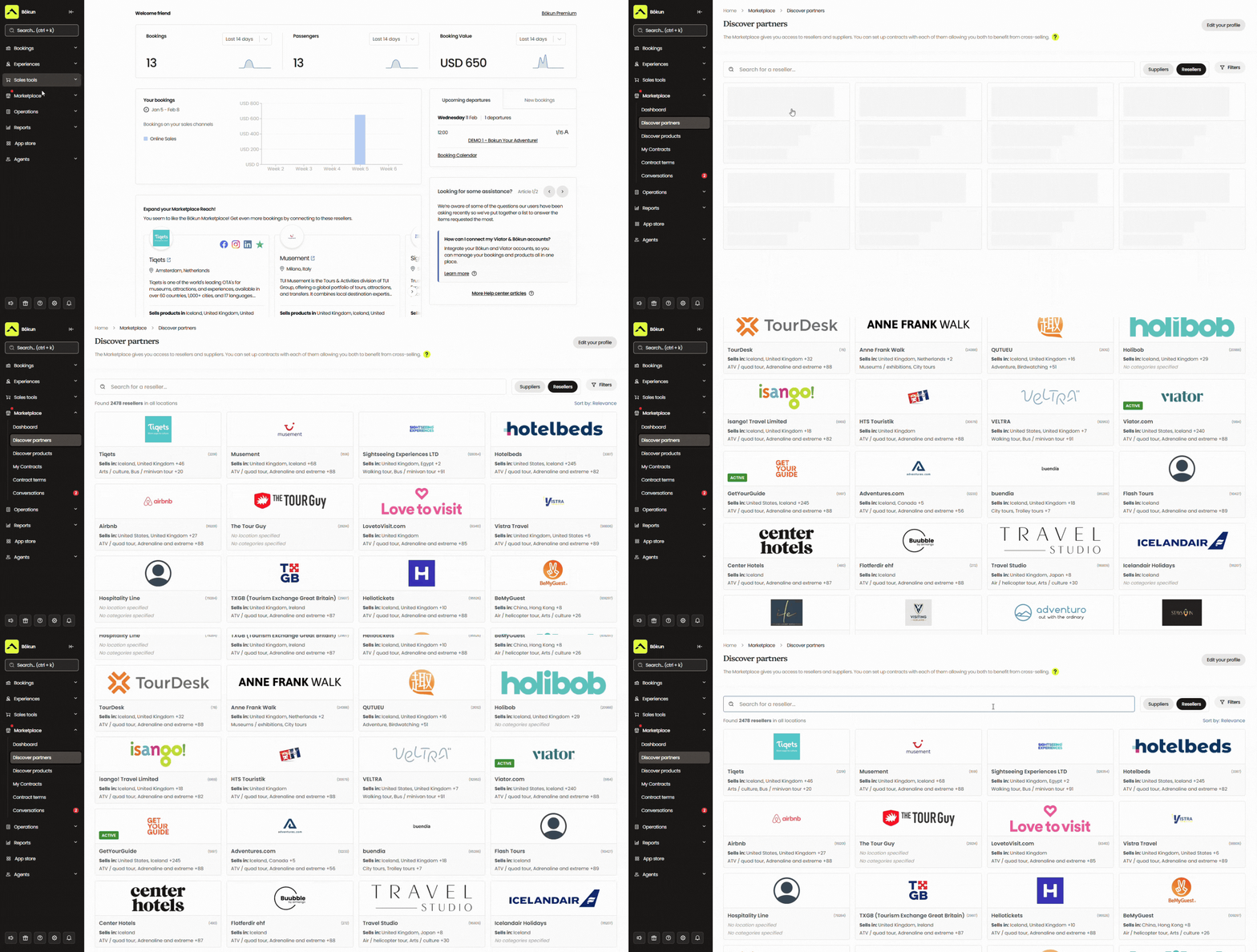
#2. Bókun Marketplace, where you can establish partnerships with other activity providers and travel industry businesses. Our network includes all Bókun users — you’re automatically added when you join the platform — as well as accommodation providers like hotels and resorts, transportation services, rental companies, attractions, travel agents, DMCs, educational institutions, and more.
You can use our network to partner with resellers (so they’ll earn bookings for you), resell others’ experiences (so you can add revenue streams and earn commission), and create packages with partners (to diversify your product line and appeal to a broader customer base).
#3. Bókun Referral Tracking, where you can extend partnerships beyond our Marketplace and create an affiliate network with anybody of your choosing: other businesses in your area, social media influencers, travel bloggers, local clubs or interest groups, and so on.
This gives you complete flexibility over who can promote and sell your axe-throwing experiences. You can add affiliates in Bókun, specify commission rates, provide affiliates with trackable booking links — and they earn bookings for you.
Most of our customers see bookings grow by 200% within just a year of joining our platform. Read some of their success stories below:
- How Urban Saunters switched booking platforms and tripled direct bookings in 6 months
- How Tasty Tours NYC became a multi-channel success with 381% revenue growth after joining Bókun
- How Venice Tours achieved a 400% revenue increase through the Bókun Marketplace
- How Simba Sea Trips sees consistent 20% year-on-year revenue growth with Bókun
- How Tour Marbella pulls in 54% of their bookings through connections via the Bókun Marketplace
Bókun Experiences: Product & resource management
Bókun’s Experiences tab lets you create listings for all your axe-throwing sessions, packages, and events. The product builder walks you step by step, so it’s super easy, and you can even create templates to add more listings quickly.
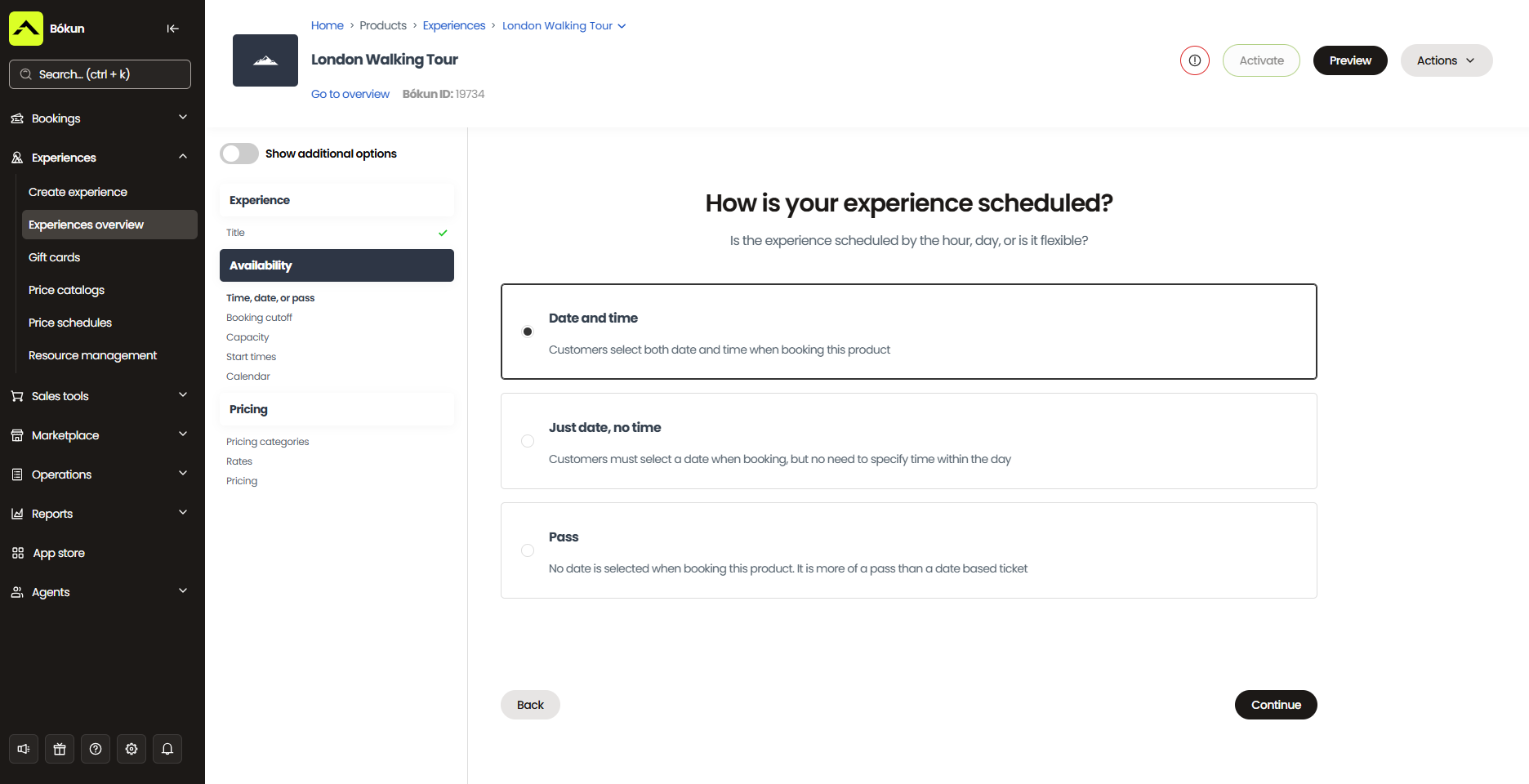
Here’s how it works:
- You’ll start by giving your experiences clear titles — like “1 Hour Axe Throwing Session,” “Date Night Axe Throwing for Two,” “Corporate Team-Building Tournament,” or “Birthday Party Package.”
- Then you’ll add some details about each product: provide a brief description, specify the duration, note inclusions and exclusions, and add any details on what customers should wear or bring.
- Next, you can add images and videos of your venue and axe-throwing action to grab customers’ attention.
Super simple!
Our system also lets you offer add-ons with sessions — if you want to provide customers with food and beverage packages, souvenir photos, coaching sessions, or merchandise.
Then you’ll walk through the steps to define pricing, availability, and required resources.
Setting Availability
Specify when each experience is available for booking. This is where you select which days and times customers can book your sessions.
- For standard hourly sessions, you might offer fixed time slots throughout the day — like 5 p.m. to 6 p.m., 6 p.m. to 7 p.m., 7 p.m. to 8 p.m., and so on. These populate your calendar so customers see exactly when they can book.
- For packages like birthday parties or corporate events, you’d set the session length (e.g., 4 hours for a birthday package) and define when those longer blocks are available.
You can also set booking cutoffs by product for those that require advance notice, like a birthday party. You can require customers to book those packages at least 24 hours in advance, so you can staff appropriately and prepare the lanes. This prevents last-minute bookings when you’re not ready to accommodate them.
Adding Pricing
You have a lot of flexibility with how you charge for sessions. You can require customers to pay the full amount upfront when they book online, collect a deposit to hold their spot, or let them pay when they arrive at your venue.
From there, you can structure your rates however it makes sense for your business. Set a flat per-person price (e.g., “$45 per person”), offer private group bookings (e.g., “$200 for a lane that fits up to 6 people”), or create pricing tiers for different customer types (e.g., discounted rates for children or students alongside standard adult pricing).
You can also build in bulk discounts for larger groups — like “$40 per person for groups of 10 or more” — which helps you fill more lanes for corporate events and parties.
And if you want to get strategic with pricing, Bókun’s dynamic pricing tools let you automatically adjust rates. You could set rules to increase prices during peak weekend slots when lanes book fast, or drop rates if you’re approaching your booking cutoff and still have availability.
Managing Resources
Then you’ll assign resources to each listing. This is where Bókun’s resource management really shines for axe-throwing venues — it ensures you never overbook your lanes or run out of equipment.
You’ll start by adding all your resources to the system under Settings > Resource Management. For axe-throwing venues, you’ll typically create three resource types:
- Lanes: Add each throwing lane as an individual resource (Lane 1, Lane 2, Lane 3, etc.) and specify its capacity — how many people can safely use that lane at once, typically 4 to 8, depending on your setup and lane size.
- Axes: Add your axes and the total number available. You might track this as a total pool (e.g., 40 axes available across all lanes) or break it down by lane if you keep a dedicated set at each station.
- Goggles: Add your safety goggles, noting the total available, ensuring you have enough protective eyewear for all customers.
Once your resources are in the system, you assign them to your experience listings. When you create a product like “1-Hour Axe Throwing Session,” you’d specify that it requires one lane, axes for the number of people booking, and goggles for each guest.
You’ll also set allocation rules for each resource type, which control how resources are assigned to bookings:
- For lanes, it’s best to use Automatic Sticky allocation. This means that when someone books a lane for a specific time slot, that entire lane is theirs — other customers who book for that same time slot are automatically assigned to a different lane.
- For axes and goggles, you should use Automatic Orderly allocation to reserve equipment one by one.
Here’s how it works in practice:
Let’s say you have 4 lanes and someone books Lane 1 for the 5 pm to 6 pm slot with 4 people. Bókun automatically reserves Lane 1 and allocates 4 axes and 4 goggles for that booking.
When another group books the same 5 pm to 6 pm time slot with 6 people, Bókun assigns them Lane 2 and allocates 6 axes and 6 goggles.
This continues until all your lanes are booked for that time slot — at which point, the 5 pm to 6 pm session becomes unavailable across all your sales channels.
This resource management works with availability management to block bookings when all lanes are reserved. And because Bókun syncs in real-time across all your connected channels (your website, Viator, GetYourGuide, partners, etc.), you’ll never accidentally double-book a lane or overcommit your equipment.
You can read more about our resource management module here.
Note: Viator users can also import products directly to Bókun to skip set-up in our system.
Bókun CRM & automated communications
Bókun also includes a native CRM, so you can manage all your customers and email campaigns from our system.
Our CRM automatically captures and stores customer information when they begin the booking process with you (so if they drop off for any reason, you can still retarget them later). It keeps all contact information in a neat directory — you can see everybody who has booked with you and what they’ve booked to learn more about your ideal audiences.
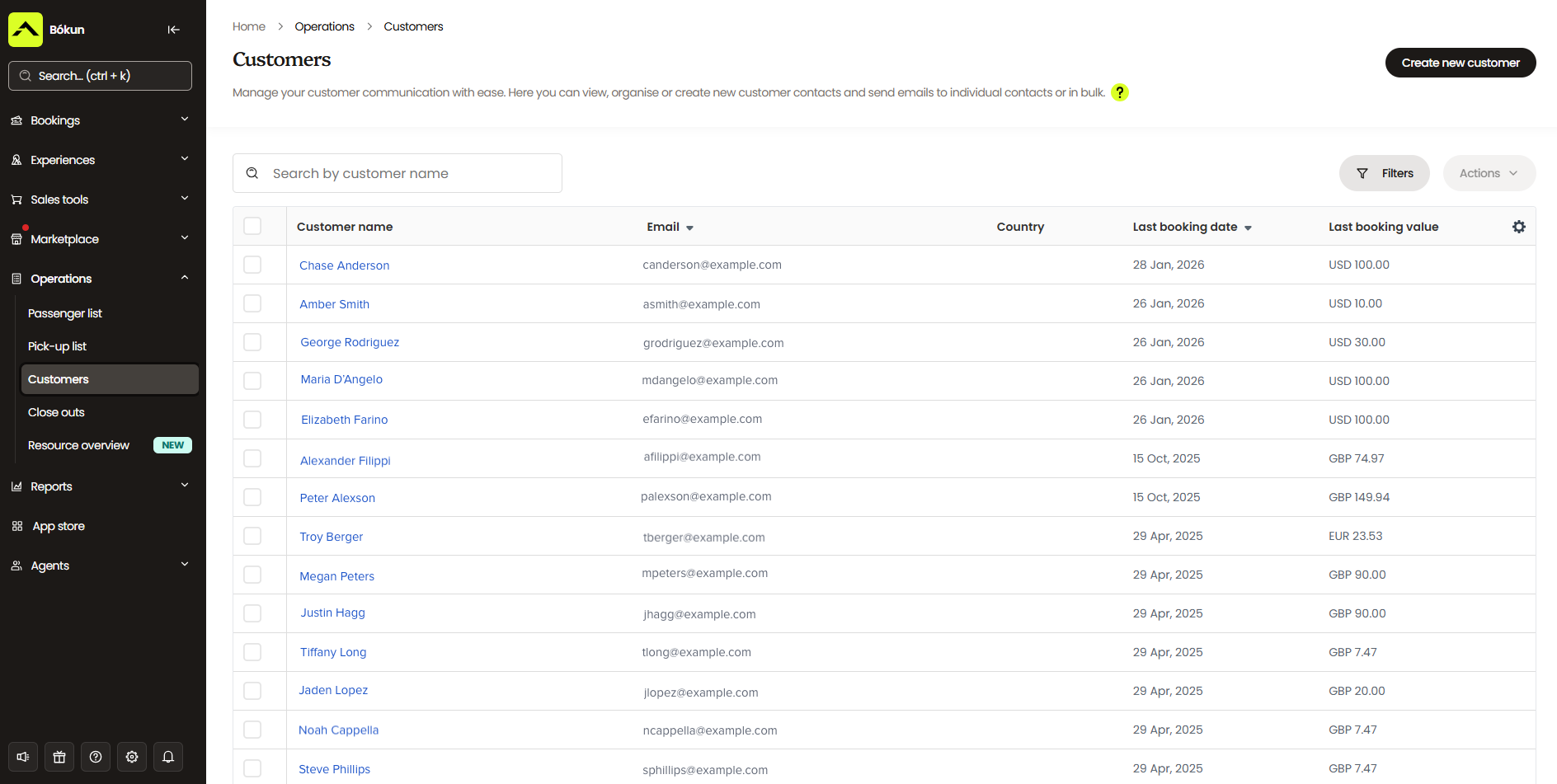
Then, we couple our CRM with a convenient automated communications tool. This can dispatch standard emails, like booking confirmations, reminders before scheduled experiences, and follow-ups after.
But you can use this feature to schedule out all types of emails: newsletters, new product or event announcements, review requests, discounts, abandoned cart emails, you name it. We even provide a handy template gallery to help you craft this messaging.
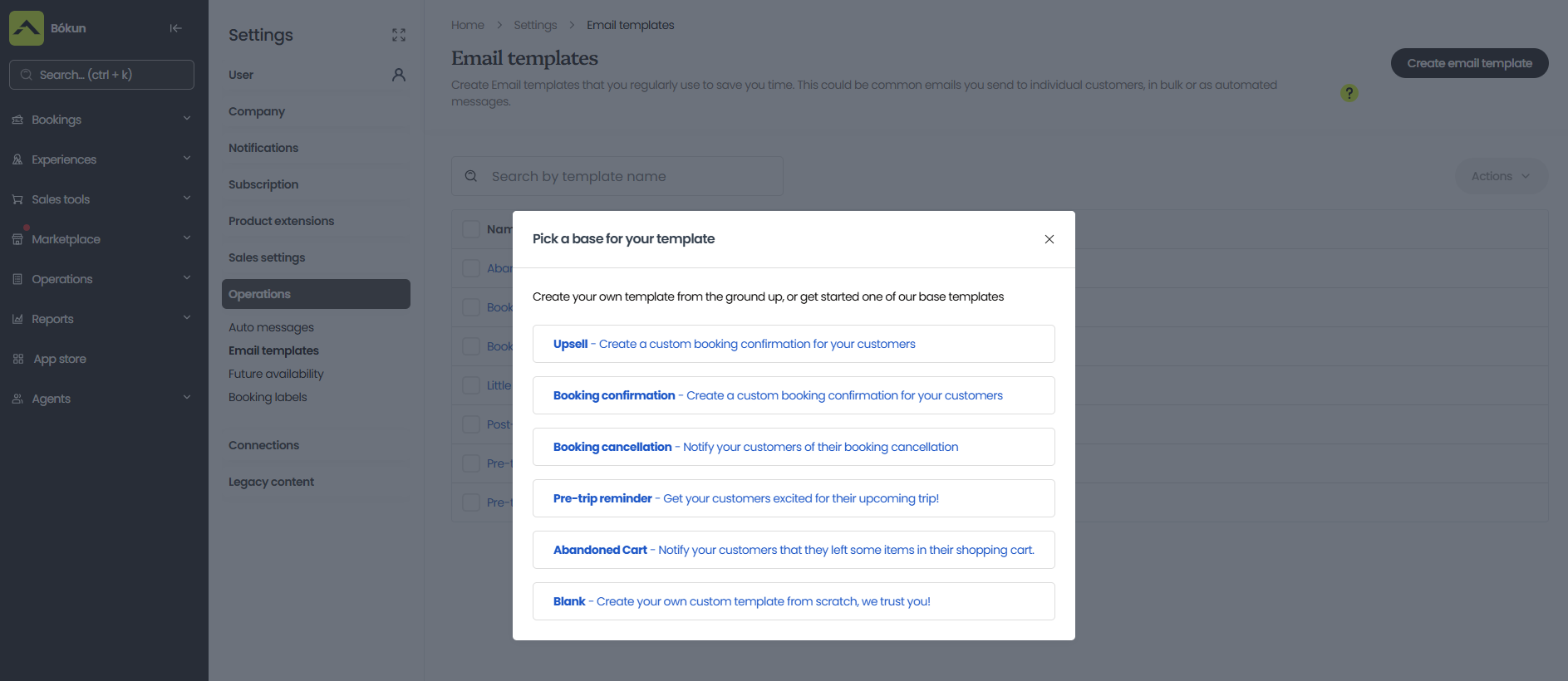
Bókun customer management tools
Bókun also offers mobile tickets and ticket scanning to help streamline guest arrivals. Guests can save mobile tickets on their phones, and staff can scan them in from multiple check-in points. This avoids long lines and lets people get right into the action.
We also include customer portals for guests to view, modify, or cancel bookings, giving them total control over their bookings without having to call or email your team for help. This not only saves your customers’ time, but it also reduces the number of help requests your team has to field.
In the event of rescheduling or cancellations, your booking calendar automatically updates, and our system sends another confirmation email with the updated details.
Bókun analytics dashboards
Bókun’s reporting dashboard gives you a clear view of how your business is performing. Our reports break down bookings and revenue by sales channel, product, or time period, so you can see which sites or partners bring you the most business, which products are booked most often, and when you’re busiest.
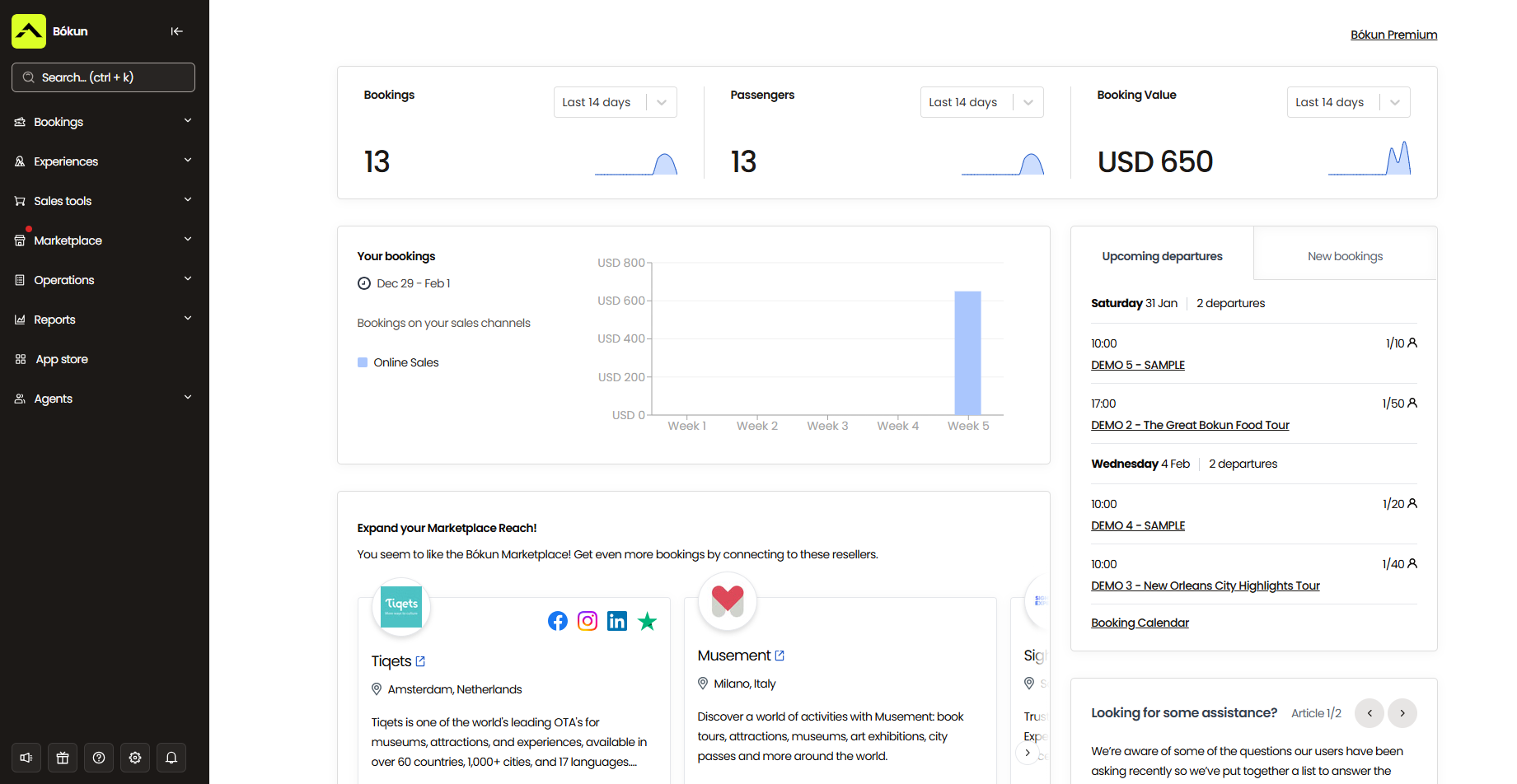
This helps you double down on what’s working for you and revamp what isn’t. You can:
- Open more availability to the sales channels that bring you the most bookings
- Test new OTAs based on which sites have performed well for you in the past
- Connect more partners and affiliates like the ones already driving your best bookings
- Offer more of your most popular products — and reinvent the ones that don’t book as often
- Optimise staffing based on your busiest seasons and time slots
Bókun App Store
We also offer the Bókun App Store, where you can integrate additional modules to support our core features. This is where you can access our digital waivers solution, tip management tool, advanced reporting module, customer SMS messaging, and more.
Bókun packages & pricing
It’s super easy to get started with Bókun. We offer a 14-day free trial for all new customers to explore our platform and make sure it’s their best fit.
After the trial period, you can upgrade to the START plan to access all of our core features (everything discussed above) for $49/month with super-low 1.5% online booking fees. You can choose to absorb booking fees or pass them to customers at checkout.
Remember, we waive Bókun booking fees on Viator bookings, and there are never any charges when adding offline or in-person bookings to our system.
We also offer two enterprise-level plans — PLUS and PREMIUM — so Bókun can scale with you, no matter how far you grow.
Enterprise plans come with agent portals, subvendor management, an allocation manager, and Zapier. Our team also provides guided onboarding, dedicated support, and a yearly strategy call for all enterprise customers.
We also offer a dedicated Channel Management solution that integrates with other booking systems. This works as an intermediary between your booking system and online sales channels like OTAs and partners. This way, you can use Bókun to extend your reach and route everything back to your primary booking software. Our Channel Manager comes with all 70+ OTA connections, full Marketplace access, and Referral Tracking.
Explore our packages or get started with Bókun!
2. Bookeo
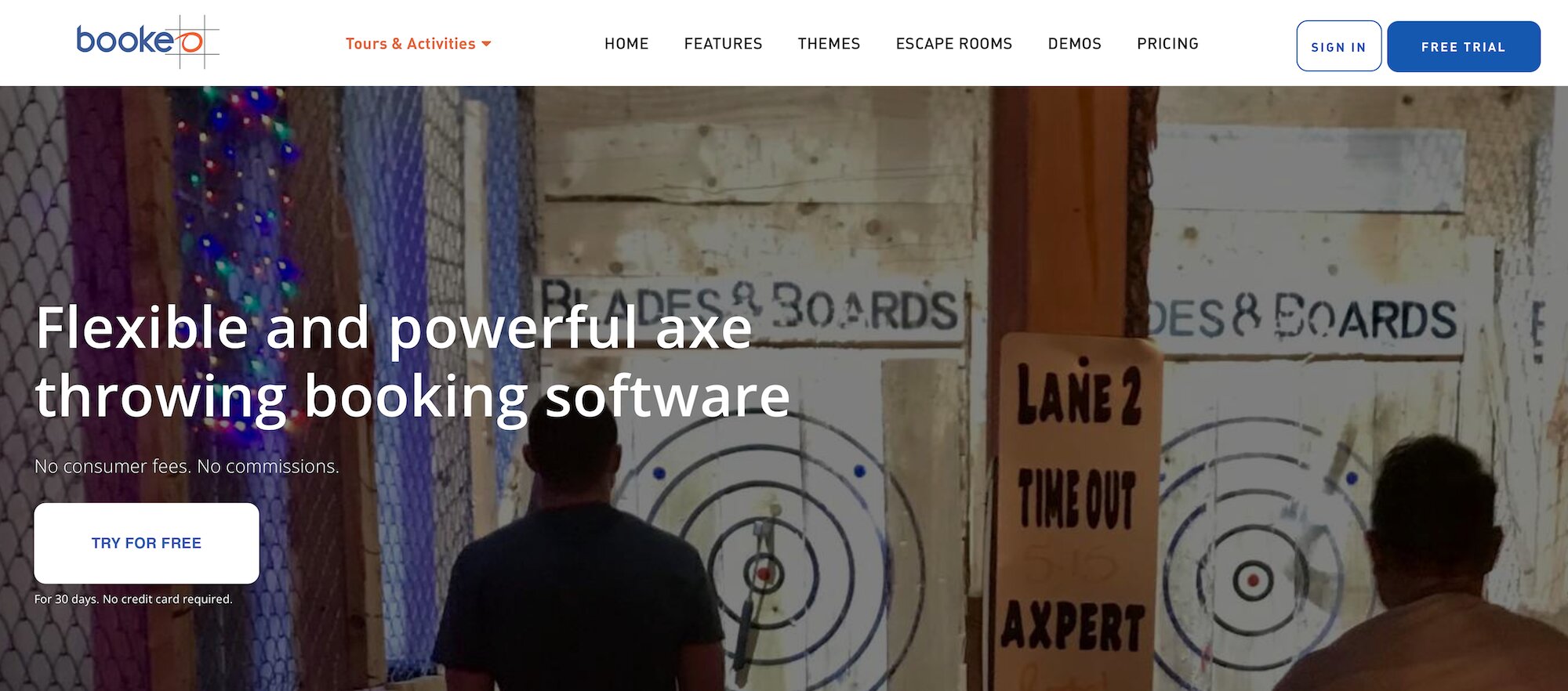
Bookeo is an online booking and scheduling system built for activity operators, including axe-throwing businesses. The platform is booking-fee-free (Bookeo only charges a flat monthly subscription fee), which appeals to high-volume operators who don’t want to pay a cut of every booking.
Bookeo offers a solid feature set for axe-throwing businesses: customizable booking widgets to enable direct website bookings, an integrated point-of-sale (POS) system, product and inventory management tools, staff scheduling, OTA integrations, automated customer communications, and reporting dashboards. They also integrate with digital waiver solutions to support those workflows.
One standout feature is Bookeo’s marketing toolkit, which includes upselling options for add-ons, gift vouchers, promotions, and discount codes — helpful for driving revenue beyond standard session bookings.
Users praise the platform for being affordable, easy to set up, and flexible. Reviewers specifically call out the booking calendar as being straightforward and simple to navigate.
However, Bookeo has some limitations for growing axe-throwing venues. The platform lacks a reseller marketplace, so you can’t establish partnerships with other businesses or affiliates to expand your reach. And it doesn’t offer many OTA connections.
Bookeo works well for smaller axe-throwing venues focused on managing day-to-day bookings affordably, but mid-size teams looking to really drive their business forward may find the growth drivers limiting.
Features
- Online booking widget (that connects to existing sites)
- Product management
- Inventory management
- Availability management
- Customisable booking management calendar
- Staff management
- OTA connections & channel management
- Integrated POS payment system
- Integrations with online payment processors like Stripe
- Automated communications to send booking confirmations, reminders & follow-ups
- Integrations with digital waiver solutions
- Portals for customers to reschedule or cancel bookings
- Waitlisting tools
- Upselling tools
- Options to sell merchandise, gift cards, & vouchers
- Options to offer virtual experiences
- Reporting
Pricing
Bookeo offers three packages for tour providers:
- The Standard plan is $39.95/month: Supports 20 products, 20 staff logins, and 1,000 bookings per month.
- The Large plan is $79.95/month: Supports 40 products, 40 staff logins, and 2,000 bookings per month.
- The X-large plan is $119.95/month: Supports 60 products, 60 staff logins, and 3,000 bookings per month.
Read more: Best Bookeo alternatives for activity & experience providers
3. Checkfront
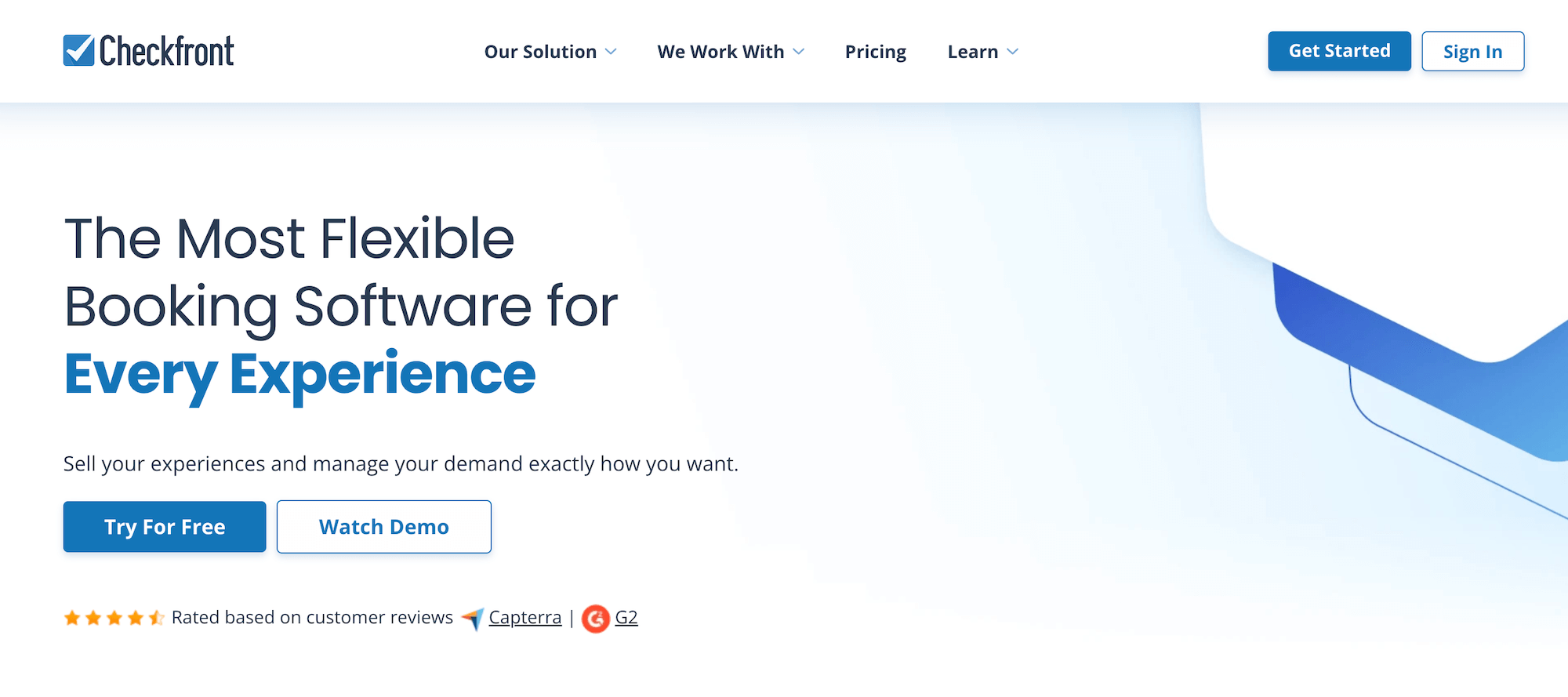
Checkfront has long been a popular choice among small businesses for its ease of use and robust toolkit, offering 100+ features to manage operations and drive growth. It’s particularly well-suited for axe-throwing venues that need advanced resource management, as Checkfront’s inventory system lets you share lanes across different products (e.g., walk-ins, league nights, private parties), set capacity limits, and prevent double-bookings with automated allocation rules.
The platform covers all the basics: booking widgets for direct website bookings, a central calendar with real-time availability updates, staff scheduling, growth drivers like OTA integrations and a partner network, digital waivers, automated customer communications, and reporting.
Users appreciate that Checkfront consolidates everything into one unified hub, reducing the need to juggle multiple systems while still being easy to use.
But the thing to note here is that Checkfront recently merged with Rezdy and changed its pricing structure — now charging $99/month plus 3% booking fees, making it significantly more expensive than it used to be.
While booking fees are moderate compared to some competitors (like Peek Pro and TripWorks, below), the subscription cost is now one of the highest on the market — pricing out many smaller teams that previously relied on Checkfront’s affordability.
Reviewers also note occasional bugs affecting booking workflows, a somewhat complex setup process for new users, inconsistent customer support, and frustrations with modifying bookings, saying the search functionality and calendar views can be clunky.
Checkfront works well for mid-size to larger axe-throwing venues with the budget to afford it, but smaller teams may find better value elsewhere.
Features
- Website builder
- Online booking engine widgets
- Centralised booking calendar
- Availability management
- Channel management & OTA connections
- Partner network
- Product management
- Resource management
- Digital waivers
- Custom form builders and waivers to send to customers before their sessions
- Marketing tools, including customer booking map, customer outreach & ROI tracking
- Integrations with online payment processors (Checkfront also connects with your POS and lets you send custom invoices)
- 50+ integrations & Checkfront API
- Reporting
Pricing
Checkfront charges a $99/month subscription fee and 3% booking fees. You can either cover the booking fees or pass them along to customers.
Read more: Best Checkfront alternatives comparison guide
4. Beyonk & BookingHound
Beyonk and BookingHound are UK-based sister brands that merged in 2022 to create the largest experiences booking platform in the UK. Both platforms are popular among UK-based activity providers, though they serve slightly different audiences.
Beyonk is the more standard booking management solution, designed for experience providers who need simple tools to manage operations, sell online, and push growth. It includes online booking widgets, channel management with OTA connections, a reseller marketplace, product and inventory management, digital waivers, automated customer communications, and reporting. Another cool perk is that Beyonk lets activity providers offer free events, which is great for teams looking to attract new customers.
BookingHound is built for teams managing high-volume ticket sales — think attractions, event venues, and activity centres with heavier foot traffic. It includes all of Beyonk’s core features plus additional tools that axe-throwing businesses may find appealing: capacity management systems and waitlisting tools to handle sold-out sessions, options to sell memberships and season tickets for regulars, and merchandise sales to drive additional revenue.
While both systems offer impressive toolkits and are user-friendly enough for all teams, the main downside here is pricing — both systems charge 4% booking fees. You have the option to absorb fees or pass them to the customer, but 4% fees can definitely make an impact regardless of who’s covering them. If you do, you’re losing a good cut of each sale. If the customer is, you risk losing them to expensive fees at checkout.
Find more Beyonk reviews here & BookingHound reviews here
Features
- Online booking widget
- Custom checkout workflows
- Channel management & OTA connections
- Reseller marketplace
- Tools to manage online or in-person payments
- Product management
- Inventory management
- Options to cross-sell products & offer add-ons
- Options to sell gift cards & issue discount codes
- Dynamic pricing
- Options to offer free events
- Automated customer communications
- Content management system (CMS)
- Digital waivers
- Affiliate codes
- Reporting
- Analytics tools from Meta and Google
Also available in Beyonk:
- ePOS system
- Staff & schedule management
- Zapier integrations
Only available in BookingHound:
- Online ticketing tools
- Capacity management system & waitlisting tools
- Options to sell memberships or season tickets
- Options to sell merchandise
- Customer self-service portals
- Questionnaires
- Abandoned cart retargeting
Pricing
- Beyonk charges a 4% booking fee for each online booking. Tour operators can cover this or pass it to travellers. There are no subscription fees here.
- BookingHound charges $38/month and 4% booking fees.
Read more: Best Beyonk & BookingHound alternatives comparison guide
5. TripWorks
TripWorks is another popular online booking system designed for activity providers. The platform is a premium, enterprise-grade solution marketed as an all-in-one operating system built by operators for operators — touting a pretty comprehensive toolkit.
The platform offers booking widgets, a central calendar with channel management and real-time availability updates, product and inventory management, OTA integrations with 50+ channels, a reseller marketplace, digital waivers, dynamic pricing, automated communications, and robust reporting dashboards.
Axe-throwing businesses may find TripWorks appealing for its:
- Seamless waiver management, as waivers are built directly into the booking flow with automated reminders for guests who haven’t signed yet.
- Complex resource management, making it suitable for venues (especially multi-location teams) with loads of equipment to keep track of.
- Advanced marketing tools, like abandoned cart recovery and the ability to embed booking widgets on social media sites like Facebook.
However, the main gripe with TripWorks is the crazy expensive pricing. The platform charges 6% booking fees plus a 2.9% + 30¢ transaction fee per booking. Combined, that’s around 9% of each sale going to fees — one of the highest rates in the market. For high-volume axe-throwing venues booking dozens of sessions weekly, these fees can seriously eat into profits.
While TripWorks is positioned as a “premium” solution, most teams can find the same features and benefits at a much better value with other solutions (like Bókun).
Find more TripWorks reviews here.
Features
- Online booking widget (that connects to existing sites)
- Booking management
- Product management
- Availability management
- Connections with OTAs & channel management
- Reseller marketplace
- Options to sell gift cards & vouchers
- Dynamic pricing
- Digital waiver solution
- Native POS
- Integrations with Apple Pay & Google Pay
- Marketing tools to build PPC campaigns & improve your reach on social media
- Integrations with marketing & business applications
- Reporting
Pricing
TripWorks charges 6% online booking fees and a 2.9% + 30¢ transaction fee per booking.
Read more: Best TripWorks alternatives
6. Peek Pro
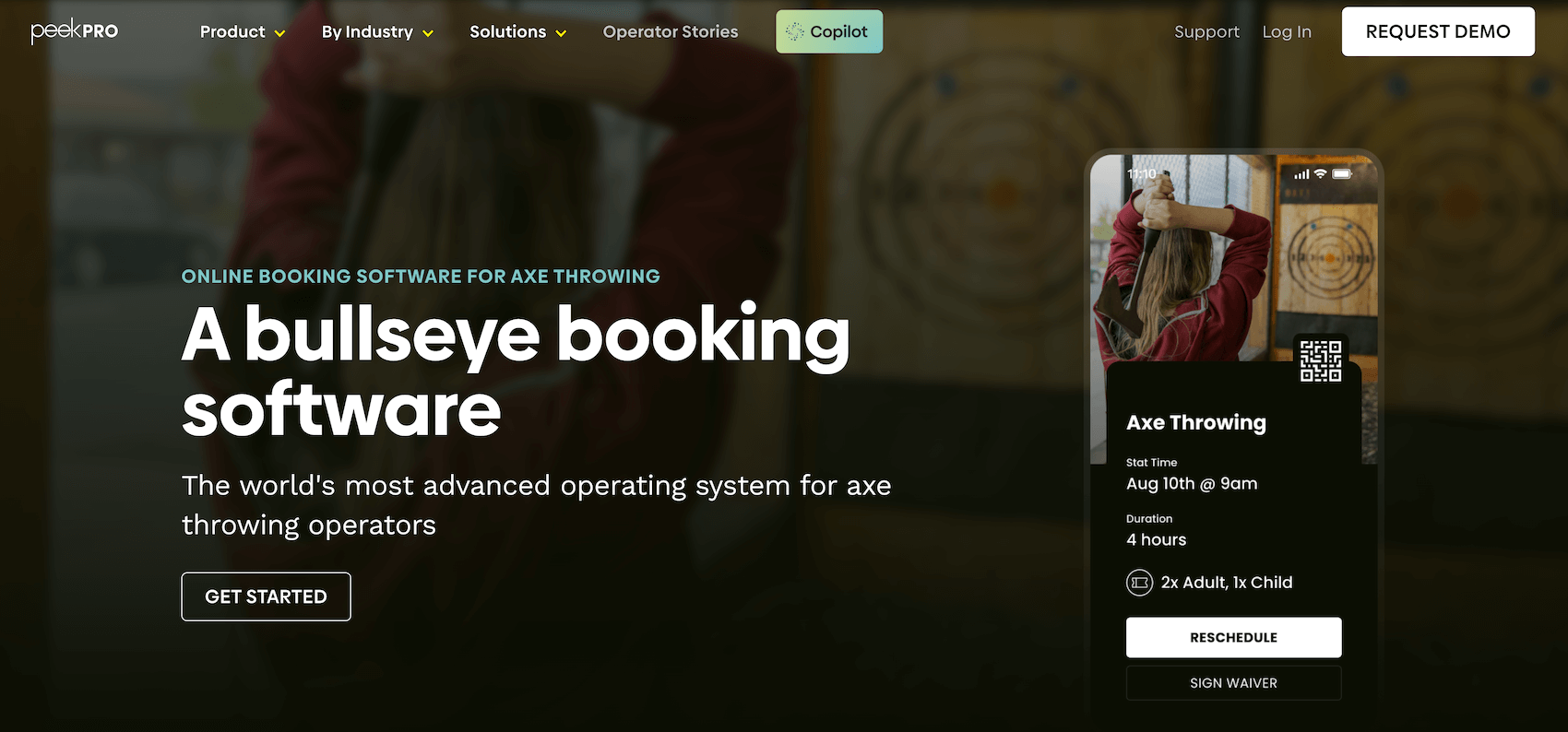
Next up is Peek Pro, another well-known name in the activity booking software space.
Peek Pro was founded over 15 years ago and works with teams of all sizes, all across the globe. The platform offers several tools to manage operations and power fast growth, including essentials like booking widgets, a central calendar, and product and resource management. It also offers growth drivers like OTA integrations, a reseller network, marketing tools, and a unique feature, Peek Capital, that allows business owners to secure financing through Peek’s VC network. They’ve also recently released Peek Copilot, an AI assistant designed to help with marketing, pricing optimisation, and day-to-day operations.
Peek is consistently praised for its modern look and feel, intuitive toolkit, and overall user-friendliness. It’s a particularly strong choice for teams that need advanced growth tools but aren’t tech-savvy.
However — and we don’t want to hammer the same point system after system — high booking fees remain a problem here: Peek Pro charges variable booking fees as high as 6%-8%, so it’s up there with some of the most expensive platforms on the market.
In addition, user reviews highlight some other potential drawbacks:
- Reviews note a decline in customer support in recent years — responses can be slow, and some users report business-stopping bugs that take weeks to resolve.
- Peek presents an initial learning curve. Set-up can be time-consuming, as the backend system is far more complex and confusing compared to the user-friendly front end.
- Some users also report issues with delayed payouts, held funds, and refund processing.
- The mobile app is limited — you can’t create or modify bookings, which frustrates operators who need full functionality on the go.
While Peek is a long-standing industry name with a solid reputation, the high fees and potential cons of the system warrant careful consideration before diving into the platform.
Check out more Peek Pro reviews here.
Features
- Online booking widgets
- Customisable booking calendar
- Booking management
- Integrations with OTAs & channel management tools
- Availability & staff management
- Options to sell memberships, add-ons, bundles, gift cards & vouchers
- Marketing tools (including customer retargeting)
- Dynamic pricing
- Fast check-in features, including digital waivers, Kiosk mode, & ticket scanning
- Customer portals
- Peek reseller network
- Peek Capital (to apply for loans)
- Inventory management
- Native POS
- Multi-currency support
- Integrations with online payment processors
- Reporting
- Mobile apps
Pricing
Peek Pro charges variable booking fees of up to 6% and 8%.
Read more: Best Peek Pro alternatives comparison guide
7. Clubspeed
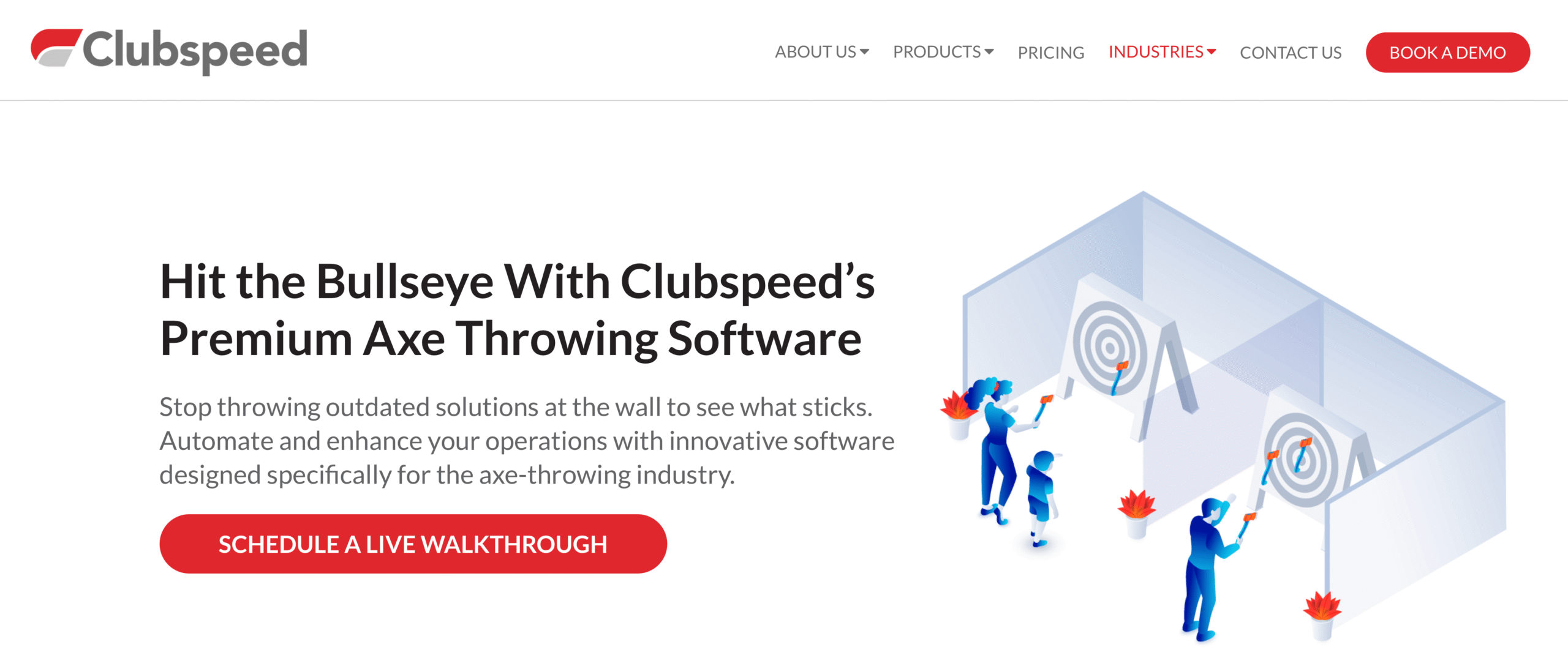
Clubspeed is a venue management software designed primarily for family entertainment centres (FECs) like go-kart tracks, trampoline parks, and bowling alleys. They’ve been making greater strides in recent years to push more into the axe-throwing industry — even acquiring Vantora, an axe-throwing and paintball booking system, back in 2021.
The platform is feature-packed and user-friendly, offering online booking tools, a POS system, RFID contactless payment technology, product and inventory management, digital waivers, loyalty and membership programs, automated marketing, CRM tools, and reporting dashboards.
And ClubSpeed is particularly strong for venues focused on gamification, with features like real-time leaderboards and competitive scoring displays that create an engaging, immersive experience for guests (especially large groups).
ClubSpeed is consistently praised for its multi-activity management tools that oversee all kinds of experiences in one system. Users also note its customer support team is top-notch — available 24/7 to help any time you need.
However, ClubSpeed may not be the best fit for standalone axe-throwing venues. Its focus on multi-activity centres means dedicated axe-throwing businesses — without go-karts, trampolines, or other attractions — may be paying for features they don’t need or use.
Features
- Online booking management
- Central calendar with advanced scheduling
- Product management
- Inventory management
- Gift card management & loyalty programs
- Membership management
- Check-in tools (e.g., registration kiosks)
- Digital waiver management
- CRM
- Automated marketing tools
- Online customer portals
- Gamification tools like leaderboards
- POS
- RFID contactless payment technology
- Integrations with online payment processors
- Reporting dashboards
Pricing
Clubspeed offers three plans:
- The Core plan ($399/month) is best for single-location businesses with minimal need for outside integrations. This plan includes access to basic features, POS, and online payment integrations.
- The Premium plan ($699/month) is Clubspeed’s most popular plan as it supports integrations with outside sales channels and systems. This plan includes everything in Core plus API access.
- The Enterprise plan (custom quotes) is for multi-location businesses with more advanced requirements. This plan includes all features plus on-site implementation for SpeedScreenHD (digiboards, menus, and scoreboards), Race Timing, and ProSkill Ranking.
8. RKd Solutions
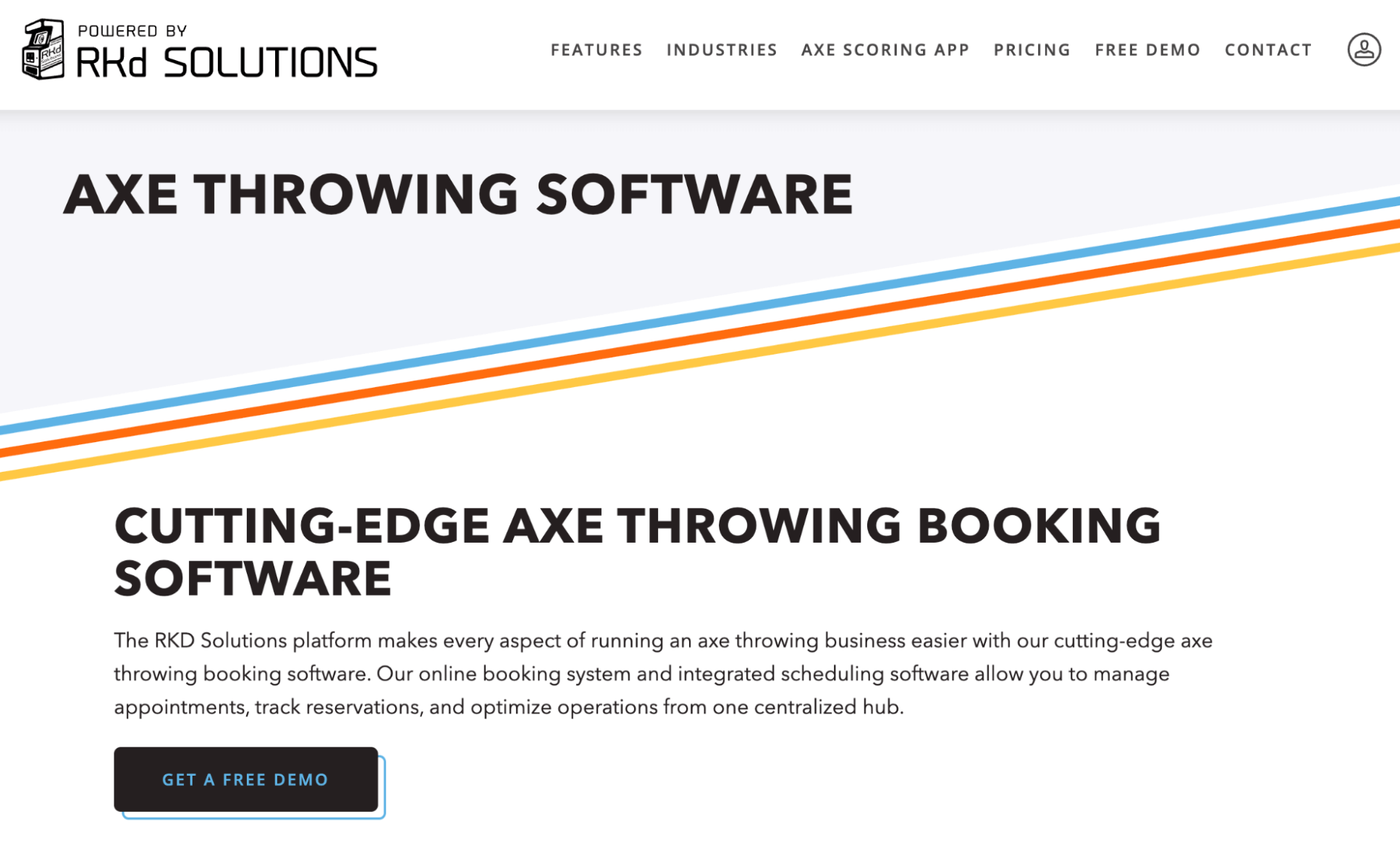
RKd Solutions’ online booking software is particularly appealing to axe-throwing venues because it has its roots in the industry. Founded in 2019 by operators who know the axe-throwing space inside and out, the platform positions itself as a niche solution designed to meet the unique needs of axe-throwing venue owners.
The platform works for both single-loc and multi-location businesses, and includes core features like online booking tools, inventory management, POS and online payment integrations, a quoting and invoicing system for large group bookings (with payment links), automated guest communications, quick check-in tools, digital waivers, marketing tools, and reporting dashboards. It also includes a convenient, in-built scoring app for guests so they don’t have to deal with manual scorekeeping.
However, RKd Solutions doesn’t offer the growth tools that other booking platforms provide. While it has some marketing tools to offer promo codes and run paid ads, it doesn’t include OTA integrations, channel management, reseller networks, or affiliate support. It focuses on operations management (booking, scoring, check-in) but without the distribution channels to help you actually fill lanes.
It’s also worth mentioning that RKd Solutions falls on the pricier side. The Monthly Unlimited plan is $499 per venue per month, or you can opt for the Reservation Fee plan, where you pay a 6% fee on every booking. Either way, it’s a lot.
RKd Solutions may work for standalone axe-throwing venues focused purely on managing day-to-day operations. But teams looking for comprehensive growth tools should explore other options.
At the time of writing, RKd Solutions has no verified online reviews.
Features
- Booking management
- Inventory management
- Multi-location management
- Automated email communications
- Guest check-in tools
- Digital waiver management
- Integrated POS & online payment options
- Marketing tools (e.g., promo codes, promotional pricing, Google Analytics & Facebook Ads integration)
- Digital gift cards
- Reporting dashboards (e.g., demographic reporting and robust financial tracking)
Pricing
RKd Solutions offers all features across all plans. You can choose how you pay.
- The Monthly Unlimited plan ($499/location/month) includes unlimited access to all features.
- The Reservation Fee plan (6% fee per booking) includes unlimited access to all features, plus a few bonus perks, such as gift cards, leagues, automated email and text communications, and axe arcade digital scoring. RKd Solutions notes this as the most popular plan.
RKd Solutions also offers enterprise plans with more advanced tools like multi-location management, analytics dashboards with demographic reporting, abandoned cart retargeting, and integrated payment solutions. RKd Solutions offers custom quotes for these packages.
9. ROLLER
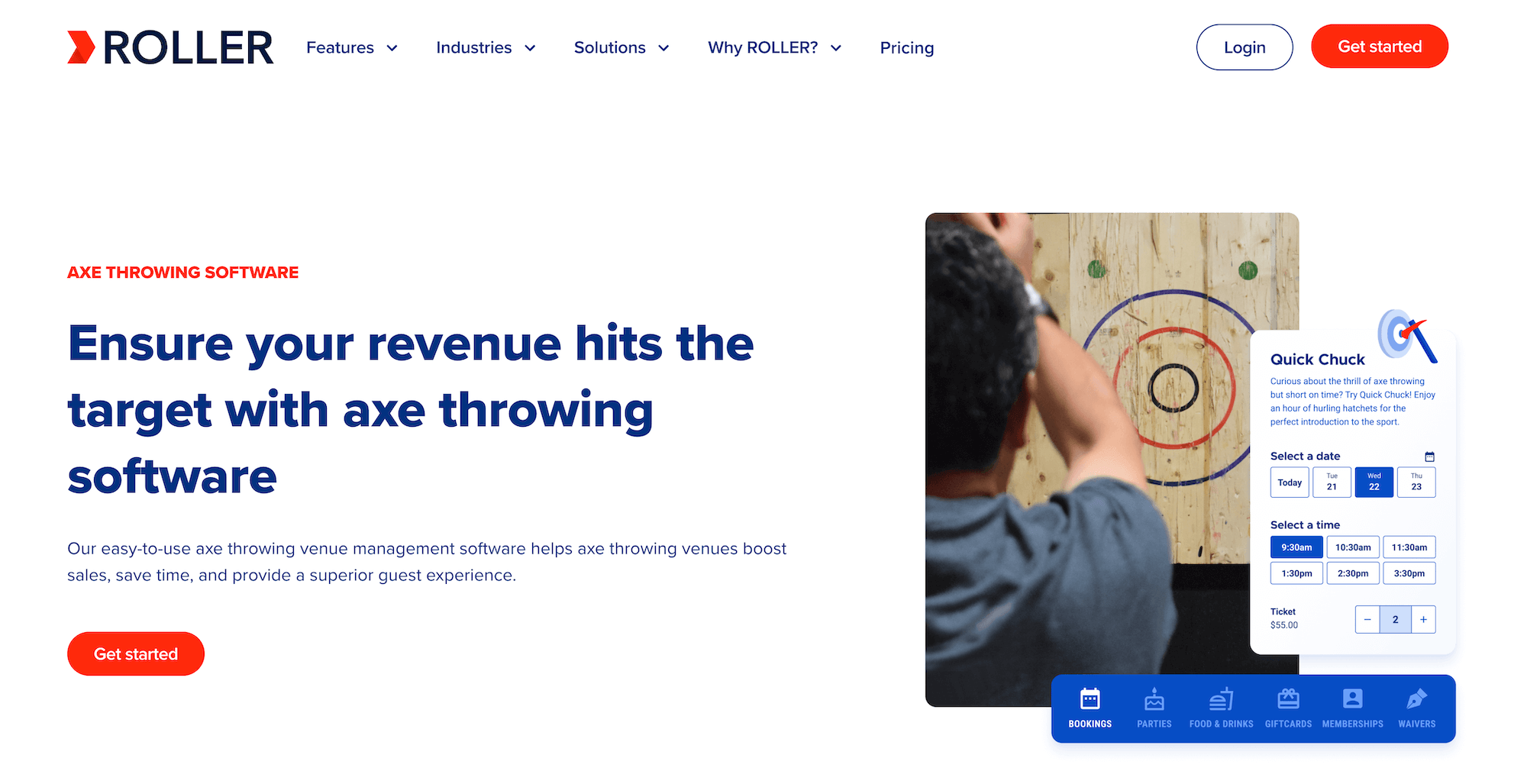
ROLLER is a venue management software built for trampoline parks, water parks, theme parks, and, of course, axe-throwing venues. The platform offers an all-in-one toolkit to manage operations and offer five-star customer experiences.
ROLLER packs a lot in its toolkit: online booking tools, capacity management tools, a POS system and integrations with online payment gateways, a CRM, automated communications, digital waivers, membership management, gift cards, self-serve kiosks, and reporting dashboards. The platform is particularly well-suited for multi-location businesses — ROLLER’s HQ tools let you centrally control products, pricing, and reporting across all of your venues.
Users highlight ROLLER for being reliable and easy to use, with responsive customer support. They also like that the platform integrates with the other systems they use in their day-to-day operations, like accounting software and email marketing platforms.
However, like RKd Solutions above, ROLLER’s platform is more focused on operations management vs. driving business growth. There are no OTA connections, channel management, reseller networks, or other tools to get your experiences in front of new customers. They do offer some marketing tools, but those are locked behind paywalls, so you have to pay even more to leverage their benefits.
On that note, ROLLER is also described as pretty expensive. They don’t share pricing on the site, so we can’t say for sure, but reviews suggest monthly subscription fees can be higher than $1,000.
For larger family entertainment centres that offer a lot of activities in one place, ROLLER may be worth the investment. But smaller axe-throwing businesses may find this solution a little overpriced.
Find more ROLLER reviews here.
Features
- Online ticketing engine
- Channel management
- POS software
- CRM
- Digital waiver solution
- Inventory management
- Capacity management
- Options to sell memberships & gift cards
- Options to manage party bookings
- Options to create product bundles
- Guest feedback
- Self-serve kiosk
- Integrations with online payment gateways
- ROLLER API
- Staff permissions
- Reporting
Pricing
ROLLER offers four plans (LITE, PRO, PREMIUM, ENTERPRISE) for businesses at various growth stages, but it does not disclose pricing for packages.
ROLLER suggests contacting its team to learn more about pricing. It also offers a free 14-day trial to test its platform and your package before committing.
Reviews indicate that packages range between $395/month and $1,045/month.
10. Sports Carnival
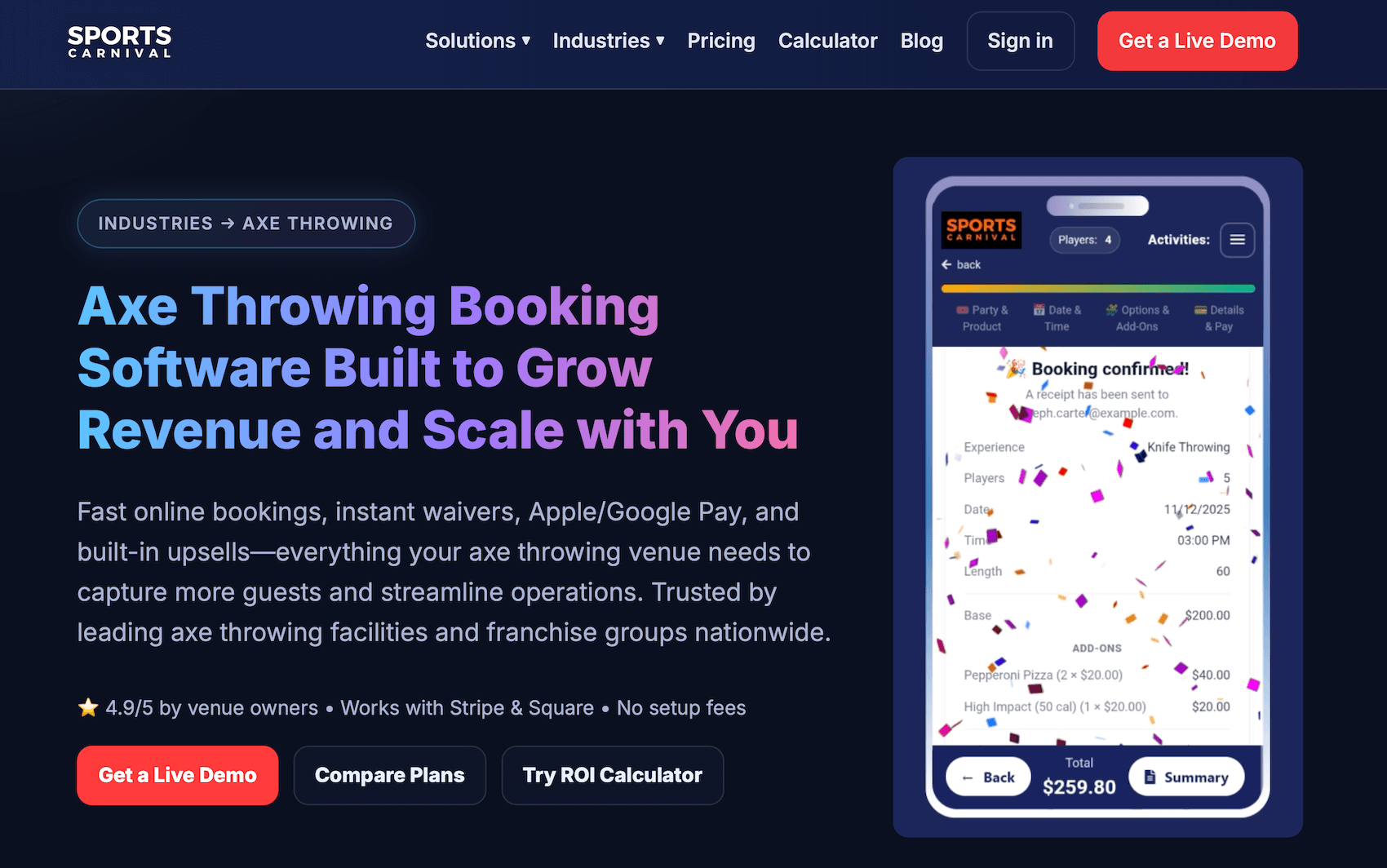
Sports Carnival is an all-in-one booking software designed for entertainment venues like paintball fields, golf simulators, and axe-throwing venues. While it works for teams of all sizes and is pretty reasonably priced, it’s particularly appealing to larger businesses and franchises for its strong multi-location management tools.
Sports Carnival offers many of the essentials you’d expect here: online booking tools, capacity management, POS and payment integrations, automated communications, digital waivers, upselling tools to sell merchandise and add-ons, and reporting dashboards. It also has convenient membership and league management tools to attract (and keep) large groups.
Users highlight Sports Carnival for being user-friendly, fast to set up, and overall stress-free. They appreciate that Sports Carnival offers a 14-day free trial that includes training sessions, so they can learn the ins and outs of the platform and get up and running with ease. Sports Carnival will even help teams migrate from other systems, like RKd Solutions and ROLLER.
Like the names we’ve discussed above, Sports Carnival is purely for operations management. Their growth tools are designed to help you attract members and create leagues. It doesn’t include distribution tools to sell your experiences across a variety of online sales channels.
But, as mentioned above, Sports Carnival won’t cost you an arm and a leg — packages range between $99 and $299 per month. Most teams opt for the Growth or Pro plan because it doesn’t charge any booking fees, unlike the Starter plan, which charges 5.5% fees that can be pretty costly as you scale bookings.
At the time of writing, Sports Carnival has no verified online reviews.
Features
- Booking management
- Digital waivers
- Integrated POS & online payment processing integrations (Stripe & Square)
- Automated customer communications
- Marketing emails
- Integrations with Meta Ads, Google Ads, & Google Analytics
- SMS messaging
- Registration forms
- Gift cards & coupons
- League builders
- Membership management
- Franchise management tools (for enterprises)
- Reporting tools
Pricing
Sports Carnival offers three plans and custom enterprise packages:
- The Starter plan ($99/month with a 5.5% booking fee) supports unlimited bookings and digital waivers.
- The Growth plan ($199/month) includes unlimited bookings, digital waivers, POS, automatic emails, marketing tools, registration forms, gift cards, reporting, and unlimited support. Sports Carnival notes this plan as its most popular package.
- The Pro plan ($299/month) includes everything in the Growth plan plus leagues, memberships, and SMS messaging.
Enterprise plans include custom workflows, SSO, franchise-scaling tools, robust reporting, a dedicated CSM, white-glove onboarding, and on-site training.
11. High Trek
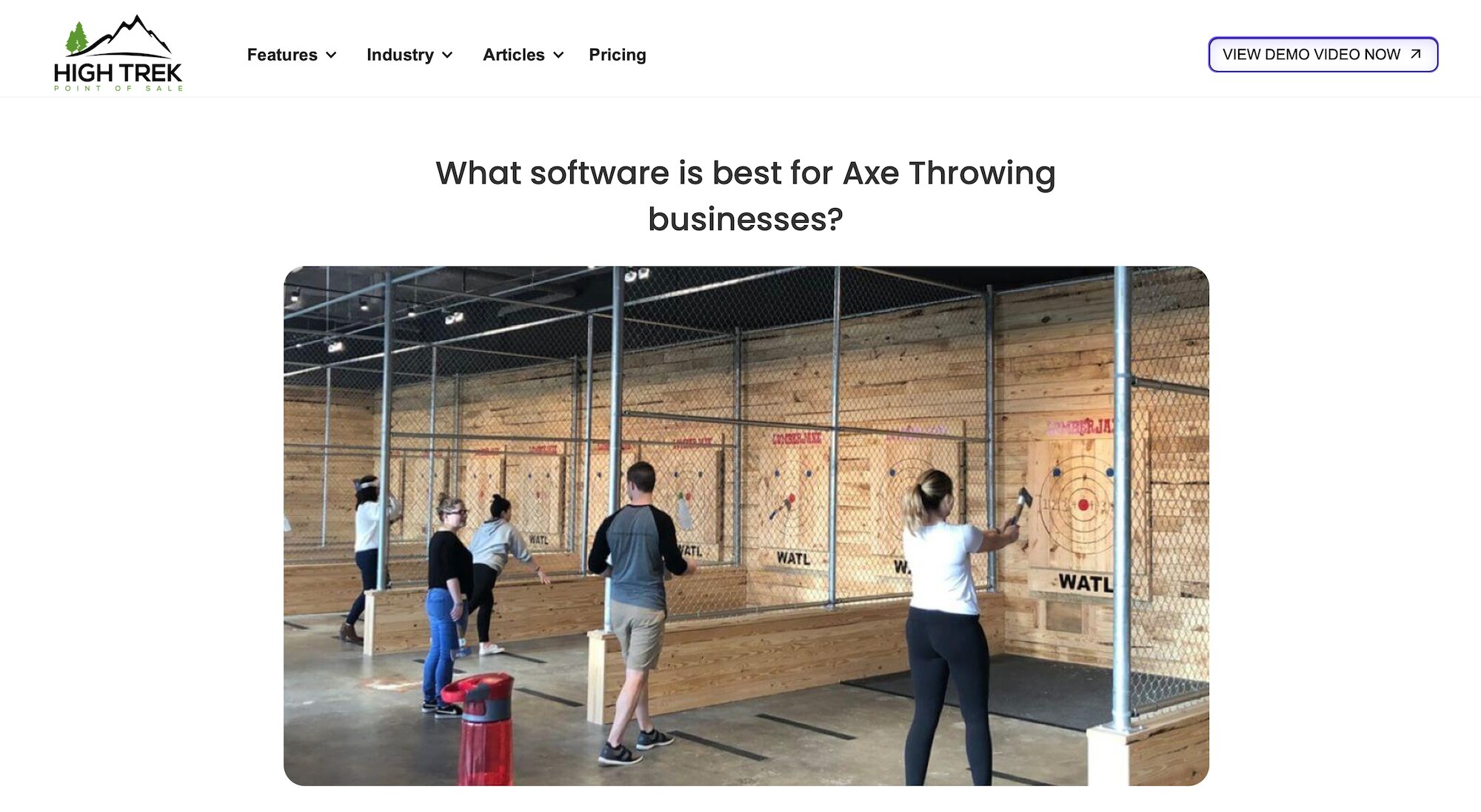
The last name on our list, High Trek, was built by High Trek Adventures, a Seattle-area ropes course and axe-throwing venue, so the platform was designed by actual operators who run these businesses. That firsthand experience shines through in High Trek’s comprehensive toolkit and hands-on support.
The platform consolidates everything axe-throwing businesses need into one system: online booking, group booking tools, memberships, season passes, POS, payment processing, inventory management, digital waivers, CRM, marketing automation tools, gift cards, and reporting. Users also like that it has a native QuickBooks integration, so they can easily manage financials between systems. And it has a convenient food and beverage management — with online ordering — so customers can purchase snacks or drinks during their experience.
High Trek offers a variety of noteworthy benefits:
- Reviewers highlight how easy it is to train staff on the system — most employees can learn how to handle bookings and transactions in just a couple of minutes.
- Users consistently praise High Trek’s support team for being incredibly accessible and responsive — fixing issues immediately, regardless of day or time, and actively developing new features based on operator feedback.
- The integrated waiver system generates tickets while ensuring everyone is properly waivered before they participate.
- The CRM and lead management tools help venues manage corporate event pipelines and complex group bookings.
- The QuickBooks integration eliminates manual accounting work by syncing all transaction data automatically.
On top of those benefits, High Trek is affordable for virtually all teams. They use a percentage-based pricing model that scales with your revenue, ranging from 0.7% to 2.5% of sales, depending on your annual revenue. This is significantly lower than competitors that charge 3% to 6% per transaction. There are no hidden costs, no contracts, no setup fees, and no support fees. Seasonal businesses don’t pay when they’re not generating revenue.
The only downside to really mention here is the lack of tools to earn new customers. High Trek doesn’t offer any type of online distribution tools to sell experiences on OTAs or through partners.
High Trek works well for axe-throwing businesses that want an affordable, operator-built system without enterprise-level complexity or costs.
Features
- Booking management tools
- Inventory management
- Digital waiver management
- CRM & customer management tools
- Email & SMS management
- Online customer portals
- Group sales tools
- Season & family passes
- Membership management
- Integrated POS
- Gift cards & vouchers
- Food & beverage management — with online food ordering
- Merchandise management
- Financial reporting
- QuickBooks integration
Pricing
High Trek offers all features to all customers — no tiered packages — and charges a small fee per booking (between 0.7% and 2.5%). The more you earn, the lower the booking fee, so high-volume businesses are often charged closer to that 0.7% rate.
High Trek also gives business owners the option to pass fees to customers at checkout, making the software virtually free to use if they do.
Get started with the right solution
The right booking software should do two things: streamline your day-to-day operations and help you actually fill your lanes. Most of the platforms on this list handle operations well — they’ll manage your bookings, process payments, and handle waivers. But very few offer the distribution tools you need to get your experiences in front of new customers and drive consistent growth.
That’s where Bókun takes the cake. You get all the operational essentials plus the growth drivers that most competitors don’t offer. With 70+ OTA integrations (including exclusive partnerships with Viator, GetYourGuide, and Google Things to do), an in-built reseller marketplace, and affiliate support, you’re not just managing bookings — you’re actively filling lanes with new customers.
And Bókun’s pricing makes it accessible for businesses of all sizes. At $49/month with low 1.5% booking fees, you’re getting enterprise-grade tools without enterprise-level costs.
Ready to see how Bókun can help you streamline operations and drive growth? Start your 14-day free trial today — no credit card required!